Broken Content Reporter: Your readers already found it, let them tell you
A free WordPress plugin that turns a dead download, a missing image or a typo into a two-click report. A button added after your posts or wherever you place it, a short dialog, no account for the reader. The report lands in your dashboard and your inbox with the page it came from already attached.
How do you find out that something is broken?
A crawler is the usual answer, and it is a good one for half the problem. It walks your site on a schedule and reports what returns an error. Dead links, missing files, server timeouts.
The other half never returns an error. A PDF still downloads, but it is last year’s version. A link resolves with a friendly 200 to a domain that now sells something else. An embed loads an empty player. A screenshot shows an interface that was redesigned two releases ago. To a crawler all of that looks healthy.
A person notices it immediately. The trouble is what happens next: they have no easy way to tell you, so most of them simply leave. A contact form means finding it, describing which page they were on, and waiting for a reply they do not want.
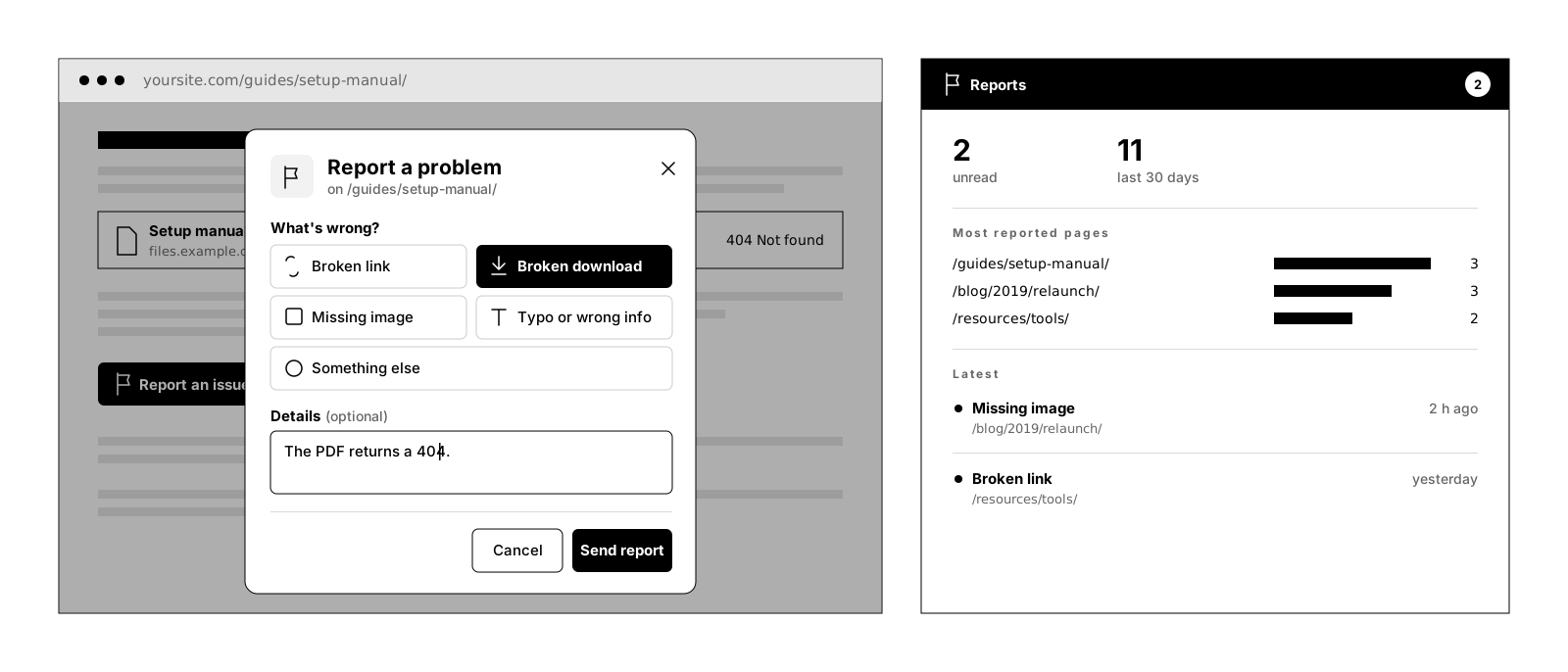
This plugin closes that gap. A button on the page, a dialog with five tiles, send. The page address travels with the report, so nobody has to explain where they were, and the reader gets a clear thank-you instead of a notice that disappears.
It does not replace a link checker. It covers the half a link checker cannot see.
This is what it looks like
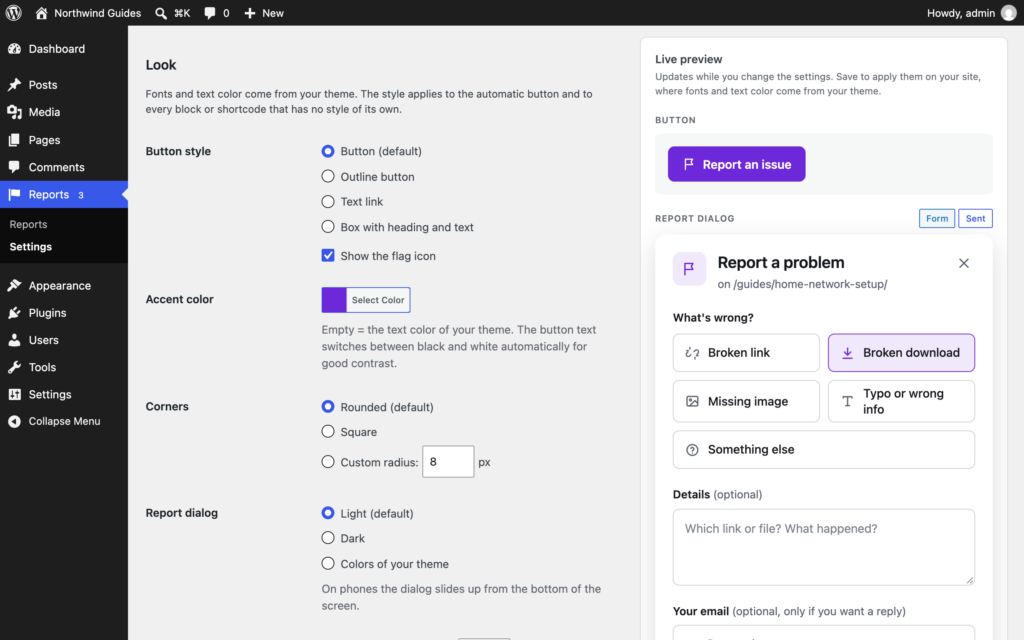
The reader side and the admin side of the same report: four styles, a light or dark dialog, the thank-you and the unread counter. Every control here is a real setting in the plugin.
New in 2.0
Version 2.0 rebuilds the plugin around the reader. Your settings and reports from 1.x are taken over, and the shortcode from version 1 keeps working.
Shows up by itself
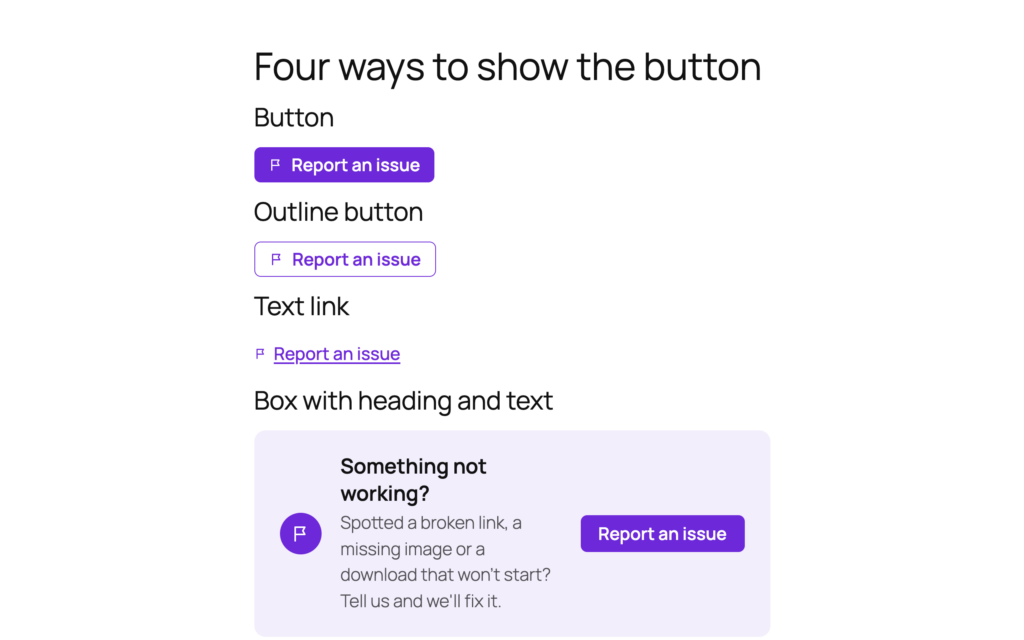
Four styles
A better dialog
Live preview
Works on cached pages
Dashboard and privacy
How it works
Put the button where things break
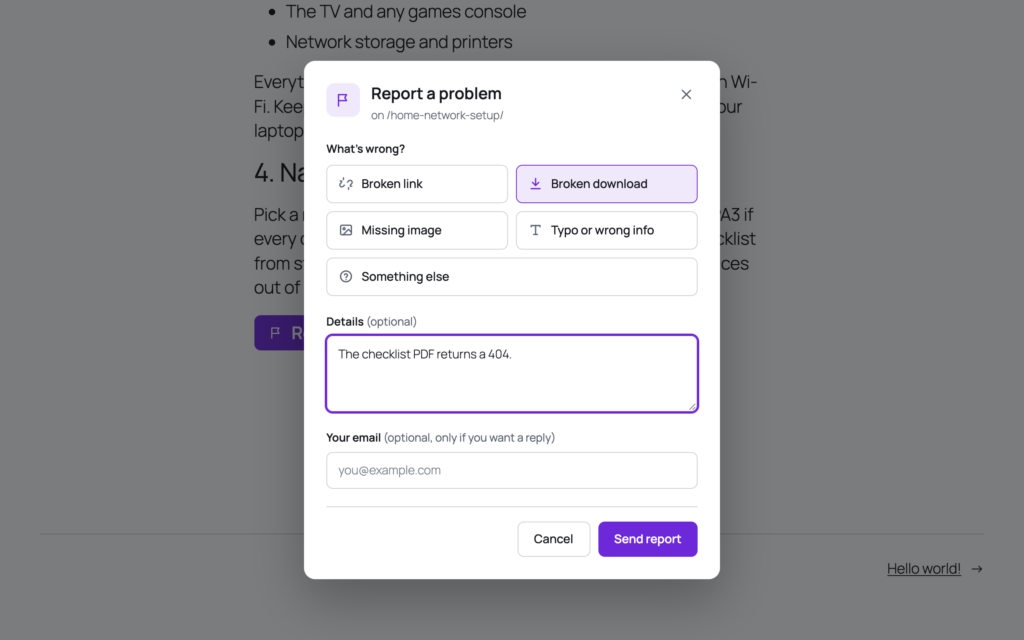
The reader sends it in five seconds
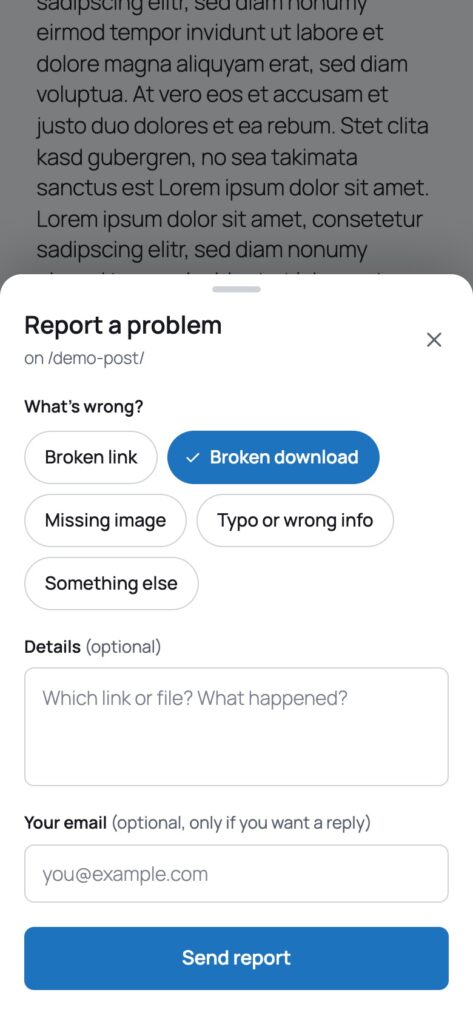
On phones it is a bottom sheet
Make it look like your site
The report lands in your dashboard
What it does not do
This is the part most plugin pages leave out.
It does not crawl your site. There is no scheduled scan and no report you did not ask for. It carries what a human noticed, nothing else.
It does not fix anything. It tells you where to look and lets you answer the reader. The repair is still yours.
It asks readers for nothing. No account, no login, no cookies. Details and email are optional unless you make them required.
It keeps no plain IP addresses. The wait time per visitor needs to recognize a repeat sender, so only a hashed value is used. The fingerprint and the browser details can be switched off.
It needs no outside service. No tracking, no telemetry. The optional captcha, reCAPTCHA v2 or hCaptcha, is the only external service, it is off by default and loads only when a reader opens the dialog.
It does not delete your reports on uninstall. Unless you turn that on. Removing a plugin should not take your records with it; settings are removed, reports stay.
Why not just run a link checker?
Run one. They are useful, and this plugin is not trying to be one. A crawler answers a narrow question well: does this address still return something. That catches the 404s and the timeouts, and it catches them at three in the morning without anyone watching.
What it cannot answer is whether the thing that came back is the right thing. Wrong file, outdated screenshot, parked domain, silent embed: all of it passes a status check. Judgment is the part you need a person for, and people are already on your pages.
The other difference is timing. A crawl tells you on its schedule. A reader tells you the moment it matters, which is usually before your next crawl and always before the next visitor hits the same wall.
Updating from 1.x
Update as usual. Your reports, notification address and wording are taken over; the old box title becomes the button text. The shortcode [linksentry] and its attributes from version 1 keep working, and the block in your posts stays where it is. The settings now live under Reports, Settings.
Two things changed under the hood. Reports no longer fail with “Invalid security token” on cached pages, because they are sent without a page nonce. And the wait time can no longer be bypassed with faked proxy headers; if your site sits behind a proxy, the filter linkbrco_client_ip passes the real visitor address.
Set up in three steps
Install it
Choose where the button appears
Pick a style and an address
Free forever, and why
This plugin is free and stays free. There is no Pro tier and none is planned. It exists because a reader told me about a dead download three months after it died, and I wanted to know sooner next time.
If it saved you an afternoon, the useful things are a rating on wordpress.org, a post in the support forum when something is off, or a hand with the translation.
Frequently asked questions
Can visitors report something without an account?
Where does the button appear?
Where do the reports show up?
Does it work with caching plugins?
How does the spam protection work?
Can I change the issue types and the wording?
Does it work with WPML and Polylang?
What does it store about the reader?
Does the plugin send data anywhere?
Are my reports deleted when I uninstall the plugin?
Is there a Pro version?
Changelog
Oct 1, 2026: rebuilt around the reader. Automatic placement before or after the content or as a floating button, with a per-post switch; four styles and a light, dark or theme-colored dialog; issue tiles, a thank-you state and a bottom sheet on phones; settings under Reports, Settings with a live preview; own issue types; dashboard widget; several recipients, replies go to the reader; reports work on cached pages; trap field, fill time, wait time and daily limit against spam, optional reCAPTCHA v2 or hCaptcha; privacy export and erase, automatic deletion; WPML and Polylang; no jQuery on the front end.
Jul 5, 2026: shortcode without attributes no longer fatals, correct page URL on sub-directory installs, unique element IDs when several boxes share a page, block alignment carried to the front end, sortable issue-type column, plain-text notification emails.
First version: block, shortcode, modal dialog, four issue types, reports in the admin, throttling and honeypot.
More from desk9
Smart Download Redirector A countdown page in front of downloads and external links, with statistics of what actually gets used.
Image Credit Companion Photographer, license and source for every picture. Useful once readers start flagging images.
All desk9 plugins Every plugin, free and Pro, on one page.
Free forever. No Pro, no nag screens.
Every feature is in the free version. Updates arrive through WordPress, no account and no license key.
Free WordPress plugin
Download from wordpress.orgEvery feature, no Pro version
Updates through WordPress
No account, no license key
At a glance
Why it is free
Every feature is in the free plugin, and it stays that way. If it saves you time, a review on wordpress.org is the best way to say thanks.