Cookie Banner & Content Blocker: nothing loads until your visitor says so
A free WordPress plugin that does what most cookie banners only claim. YouTube, Google Maps, Analytics and Tag Manager stay inert until the visitor decides, then exactly what was allowed loads. The HTML is the same for everyone, so page caching and CDNs keep working.
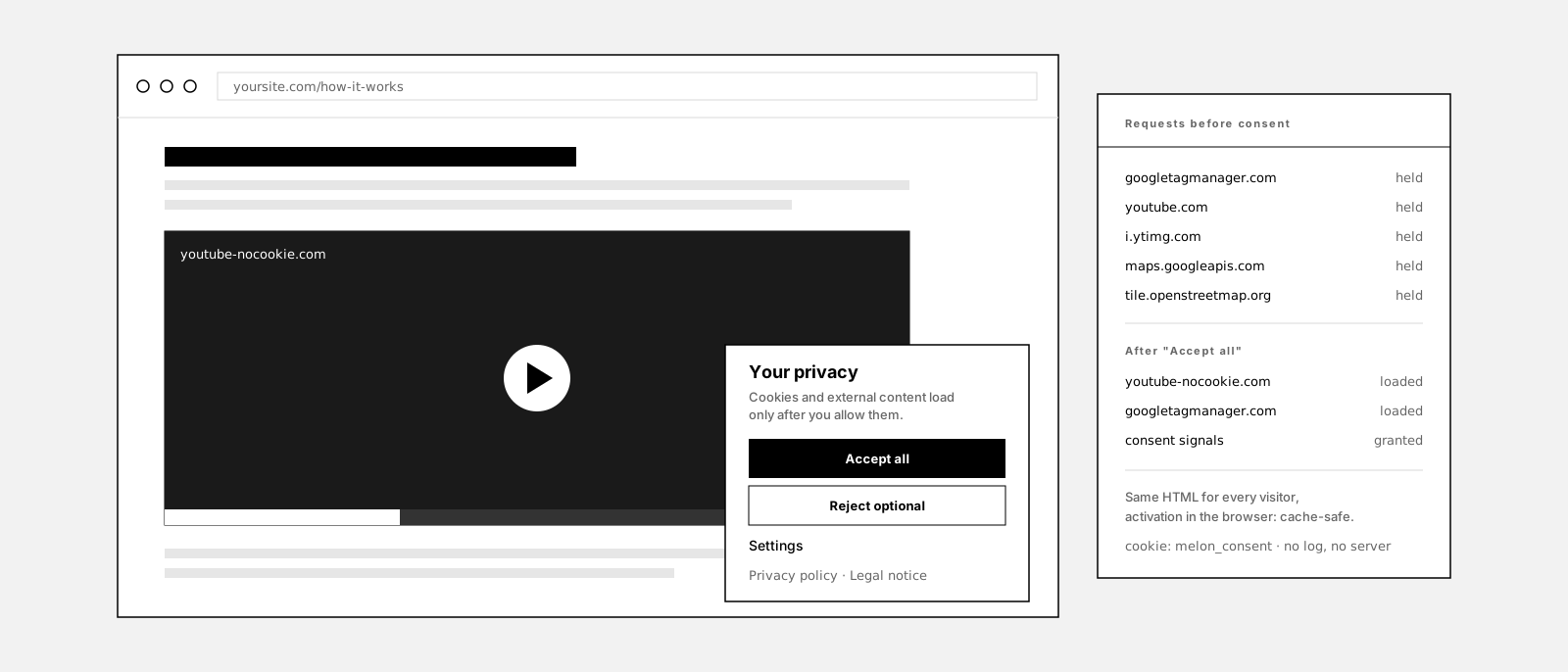
Is a cookie notice enough?
Most cookie banners are a notice. The page loads, the video player loads, the analytics tag fires, and then a box asks whether that was all right. By the time the visitor answers, the requests have already been made.
Consent asked for after the fact is a receipt, not a decision. What matters technically is the order: the request to youtube.com or googletagmanager.com must not happen until the visitor has said yes. A banner that cannot hold those requests back is a design element, whatever its wording promises.
Holding them back is harder than showing a box. Embeds arrive as iframes, oEmbeds and Gutenberg blocks, tags arrive as enqueued scripts and inline snippets, and a page cache serves every visitor the same HTML. So the blocked content has to be made inert in the markup itself, and the browser has to be the one that activates what was allowed.
That is what this plugin does, and it is the whole reason it exists. The banner is the visible part. The blocking engine underneath is the part that earns its keep.
It implements consent and blocking technically. Whether your site is compliant depends on the whole site, your texts and your configuration; this is not legal advice.
This is what it looks like
Privacy settings
The placeholder where a video would be, the banner, and the requests the browser has not made yet. Every control here is a real setting in the plugin.
How it works
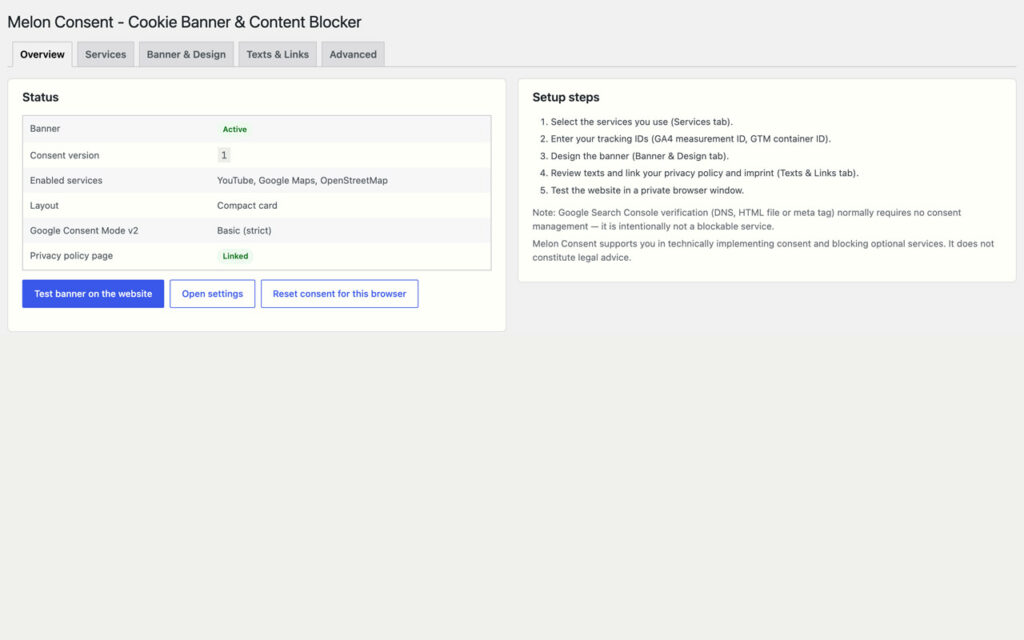
Tick the services you use
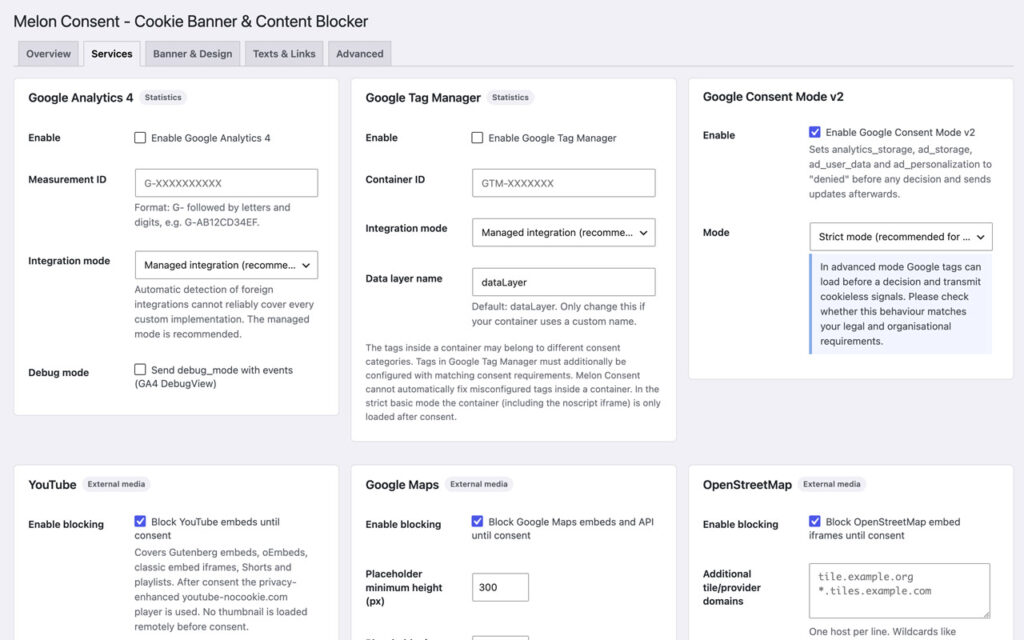
Everything optional stays inert
The visitor decides, the browser does the rest
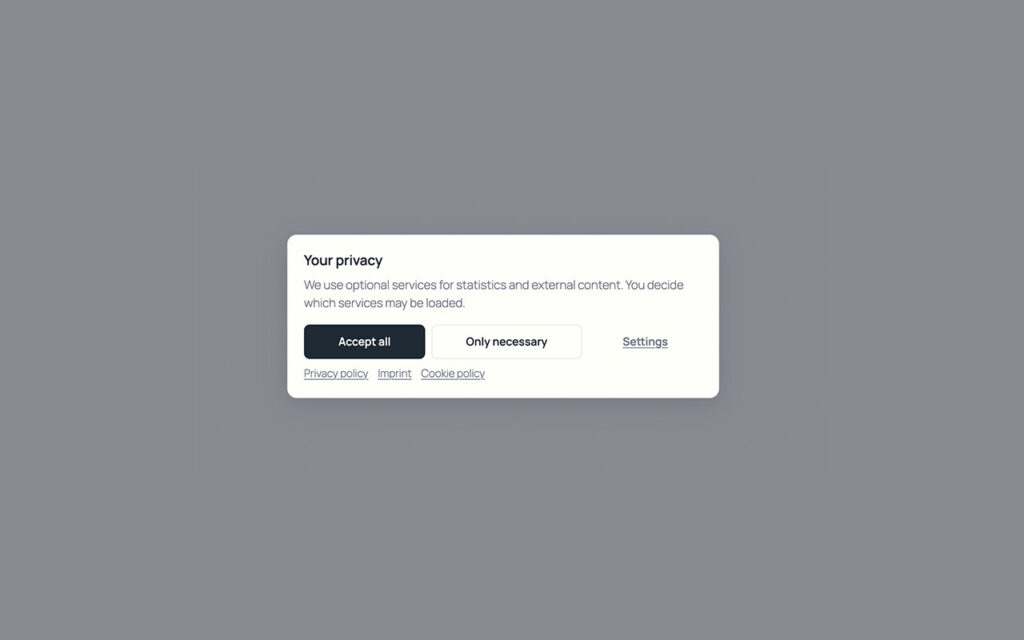
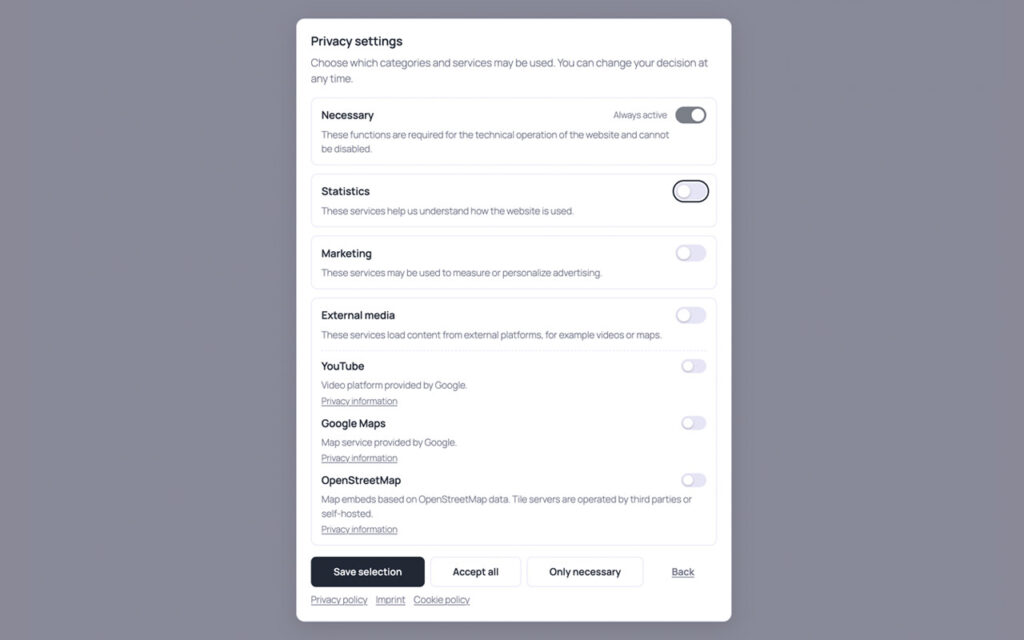
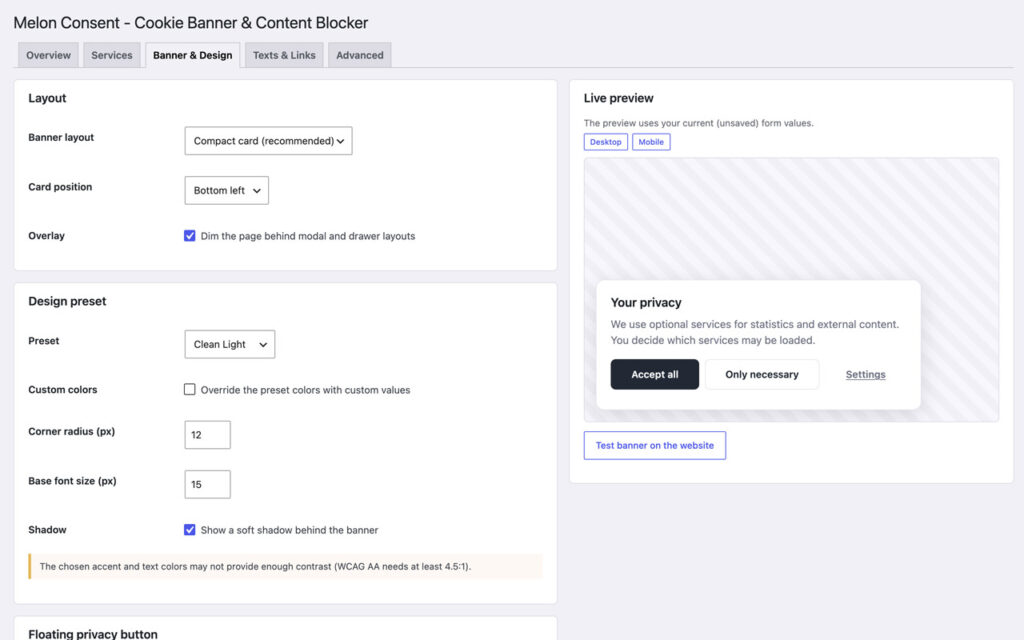
Make it look like part of the site
What it does not do
This is the part most plugin pages leave out.
It does not guarantee compliance. It implements consent and blocking. Whether the site as a whole is compliant depends on your texts, your configuration and everything else on it.
It does not catch every custom script by itself. Well-known services are covered reliably. Anything else needs a rule you write, with hosts, wildcards, script handles or inline signatures, or the wrapper shortcode.
It keeps no consent log. The decision lives in one first-party cookie: version, timestamp, choices. No IP address, no history in your database, nothing to export on request.
It sends nothing to the author. No telemetry, no external request of its own, no remote fonts, no CDN. Every asset is served from your installation.
It does not unload what already ran. Revoking removes known Google cookies and reloads the page, because a script that has executed cannot be reliably pulled out of memory.
It does not block Search Console verification. On purpose. DNS, HTML file or meta tag involve no tracking of visitors, so verification is not a blockable service.
Why not just a cookie notice?
A notice plugin is easy to build and easy to install, and it changes nothing about what the page does. The scripts it is supposed to govern are already loaded by the time the box appears. The only thing the visitor’s click controls is whether the box goes away.
A blocker has to reach into the page before it is delivered. It neutralizes scripts and embeds in the markup, keeps that markup identical for every visitor so caches keep working, and hands the activation to the browser after the decision. That is more work, and it is the work that makes the banner mean something.
The difference shows in the network tab. Open a private window, load a page with a video, and watch. With a notice, youtube.com has been contacted before you touch anything. With this plugin, the first request to youtube.com is the one you trigger yourself.
Set up in three steps
Install it
Pick your services
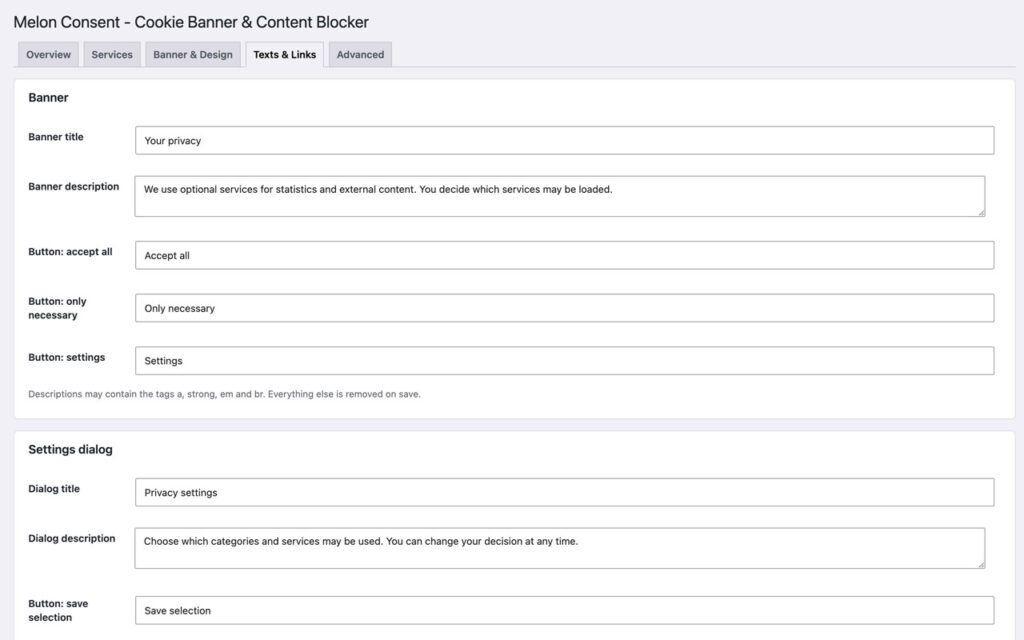
Design, texts, test
Free forever, and why
This plugin is free and stays free. There is no Pro tier and none is planned. It exists because I needed a consent banner that actually blocks, with no account, no monthly fee and no data leaving the site, and could not find one I trusted to do all three.
If it saved you an afternoon, the useful things are a rating on wordpress.org, a post in the support forum when something is off, or a hand with the translation.
Screenshots

Frequently asked questions
Does it block YouTube before consent?
Does youtube-nocookie.com remove the need for consent?
Does it support Google Consent Mode v2?
Does it work with caching plugins?
Can visitors revoke consent?
Does it store consent logs?
Can every third-party script be detected automatically?
Does it guarantee legal compliance?
Does it slow the site down?
Is there a Pro version?
Changelog
Aug 10, 2026: first release: banner with four layouts and five presets, consent per category and per service, cache-safe blocking of scripts, inline snippets, iframes, oEmbeds, Gutenberg embeds and resource hints, Google Analytics 4, Tag Manager and Consent Mode v2, placeholders for YouTube, Google Maps and OpenStreetMap, custom services, floating privacy button, diagnostics, import and export, English and German.
More from desk9
AI Content Disclosure One quiet notice that says where AI helped. The other thing a reader should not have to guess.
Broken Content Reporter Readers report the dead link or missing image in two clicks, with the page URL attached.
All desk9 plugins Ten of them, maintained monthly, seven free.
Free forever. No Pro, no nag screens.
Every feature is in the free version. Updates arrive through WordPress, no account and no license key.
Free WordPress plugin
Download from wordpress.orgEvery feature, no Pro version
Updates through WordPress
No account, no license key
At a glance
Why it is free
Every feature is in the free plugin, and it stays that way. If it saves you time, a review on wordpress.org is the best way to say thanks.