Image Credit Companion: know where every picture came from, and show it
A free WordPress plugin that stores author, source and license once per image and carries them into every post the picture appears in: as a caption below it, as an overlay on it, or as a sources list under the article. An overview shows which pictures still lack a credit.
Do you have to credit images?
It depends on the license, and the license is the part nobody remembers six months later. Creative Commons licenses with BY in the name require attribution: the creator, the license, a link to it, and a note if you changed the picture. Leave the credit off and you are outside the license.
Unsplash and Pexels do not require a credit, but both ask for one and hand you a ready-made line. Stock agencies are stricter: editorial images almost always need a credit line naming photographer and agency, and many standard licenses ask for one as well.
Underneath the licenses sits the photographer’s right to be named, which most copyright laws grant whatever the license says. In practice a missing credit is the routine reason for a takedown request or, in some countries, a paid warning letter. Often the image was licensed correctly; the credit just got lost somewhere between download and publish.
That loss is what this plugin prevents. It gives every image in the media library a place for author, source and license, keeps track of where the image is used, and shows the credit wherever the picture is.
It stores and displays attribution. Whether a given license requires a credit, and in which form, is between you and the license; this page is not legal advice.
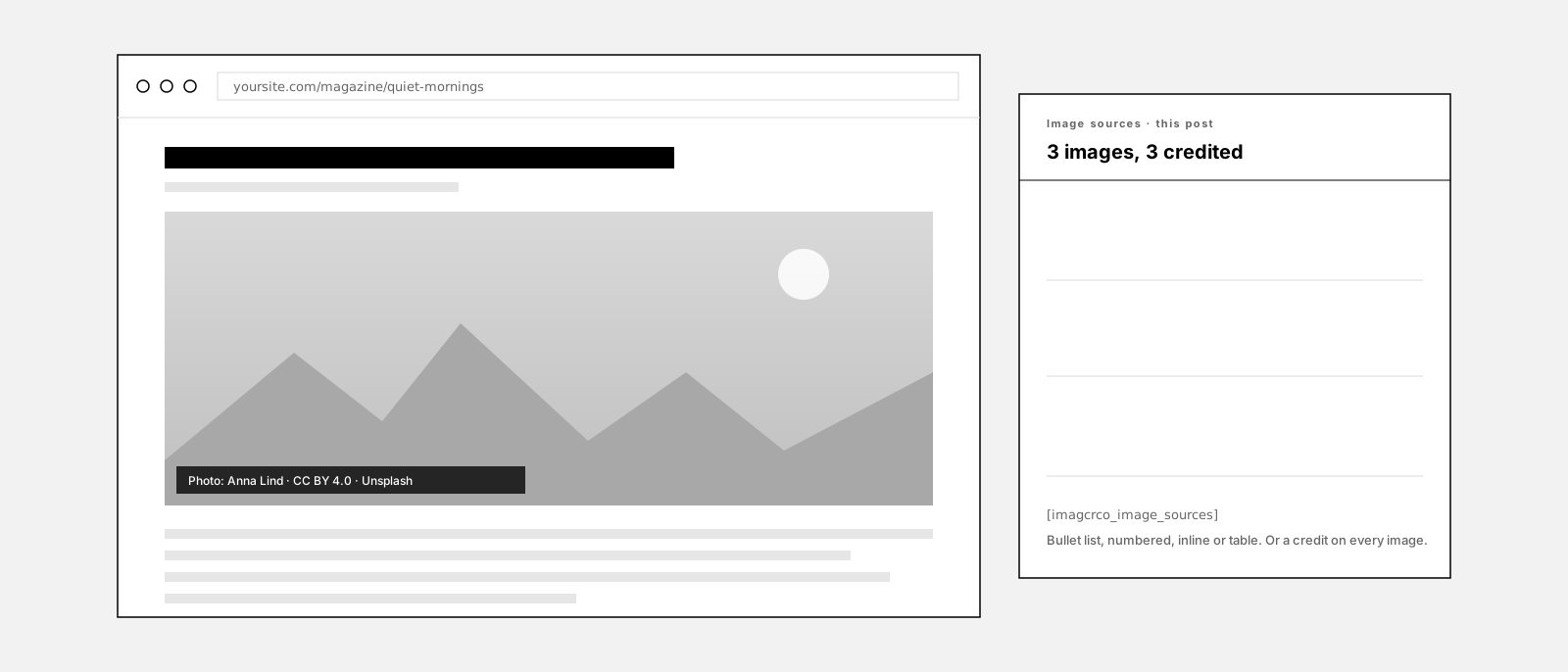
This is what it looks like
Image sources
- quiet-mornings-01.jpg — , CC BY 4.0, Unsplash
- harbor-fog.jpg — Jonas Reuter, CC0, Pexels
- team-portrait.jpg — Studio Nord, all rights reserved, own upload
The credit on the picture, the sources list under the article, and the import box from the editor sidebar. Every control here is a real setting in the plugin.
How it works
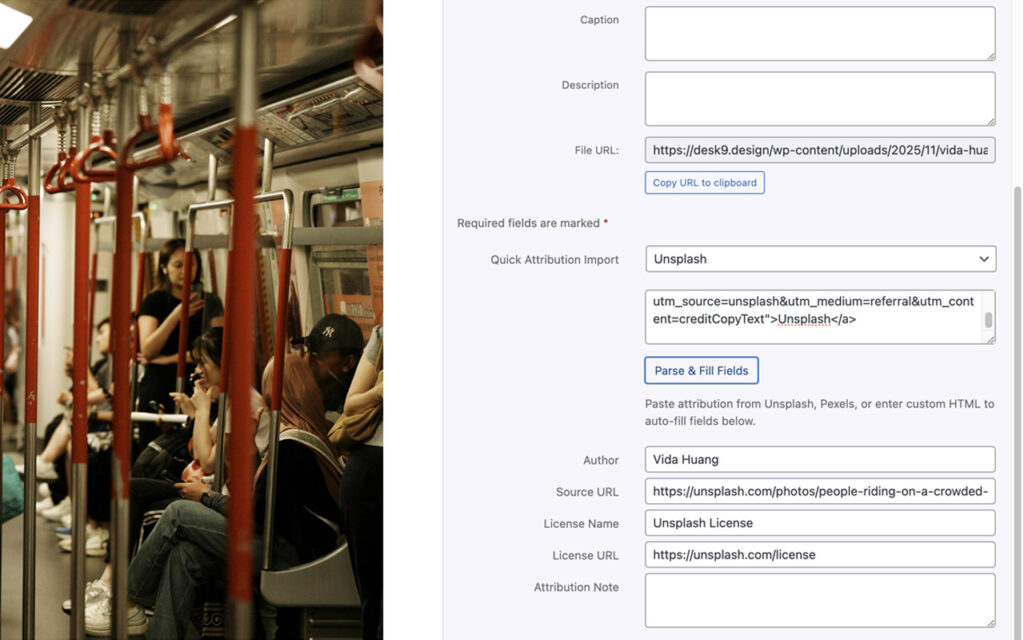
Enter the credit once, where the image lives
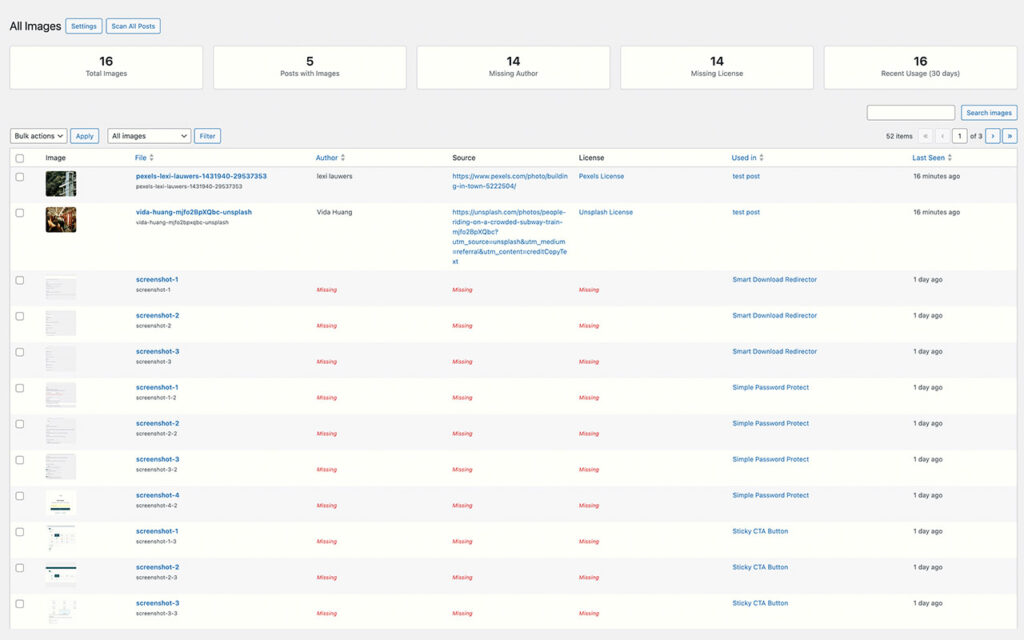
Every post knows which pictures it uses
Show the credit where the reader looks
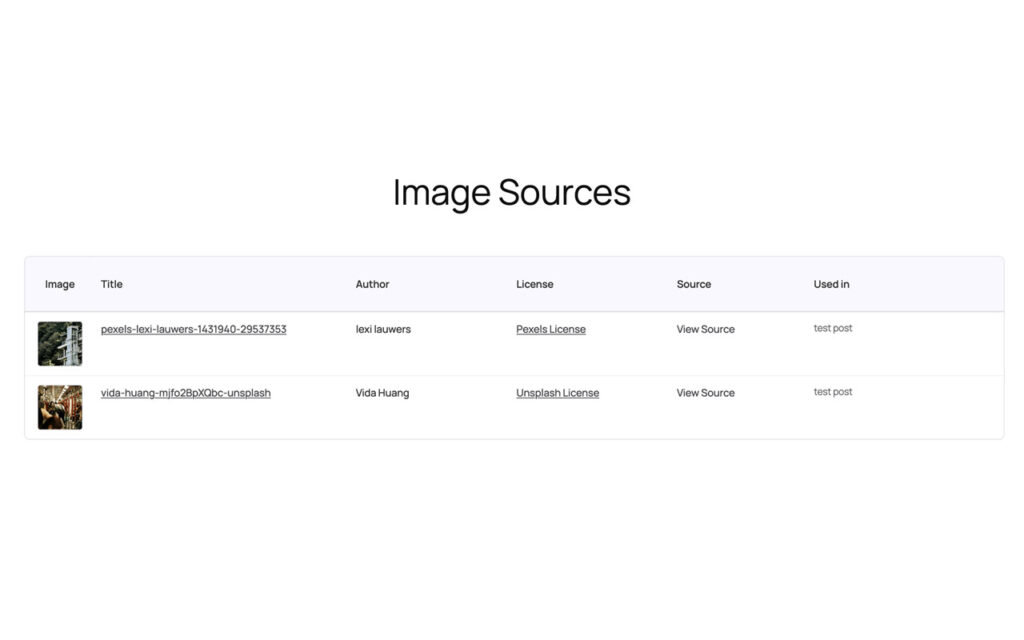
Or list the sources, per post or for the whole site

What it does not do
This is the part most plugin pages leave out.
It does not know the license by itself. Author, source and license are what you enter or paste. It queries no rights database and runs no reverse image search.
It only sees images that go through the media library. Hotlinked pictures, CSS backgrounds outside Cover blocks and page-builder widgets that bypass WordPress attachments are not tracked. Elementor featured-image widgets are the exception, since 1.2.1.
It does not read the credit inside the file. IPTC and EXIF fields stay where they are. What the plugin shows is what was typed or pasted into its own fields.
It does not touch the image file. No watermark, no pixels changed. The credit is HTML next to or over the picture, and a theme can style it.
It sends nothing anywhere. No external request, no telemetry. Metadata lives as attachment meta, usage in one table, both on your server.
It is not legal advice. It cannot tell you whether a license requires a credit or in which form. It makes sure the credit you owe is stored once and shown everywhere.
Why not just write the credit into the caption?
Because a caption belongs to one placement, not to the image. Use the same photo in three posts and you write three captions, and the day someone edits the post, the credit goes with the paragraph it was typed into.
The media library has no field for a photographer, a license or a source, and no view that shows which picture lacks them. So the information ends up in a spreadsheet, in file names, or nowhere.
Storing it on the attachment turns that around. The credit follows the picture into every post, the overview lists what is missing, and one shortcode prints every source on the site. The caption stays free for what a caption is for.
Set up in three steps
Install it
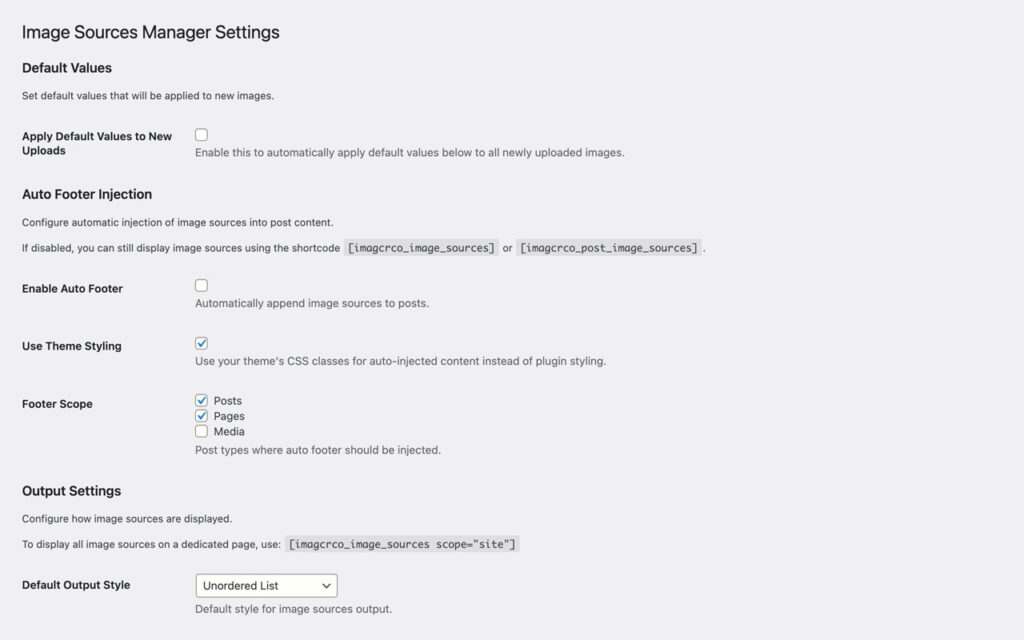
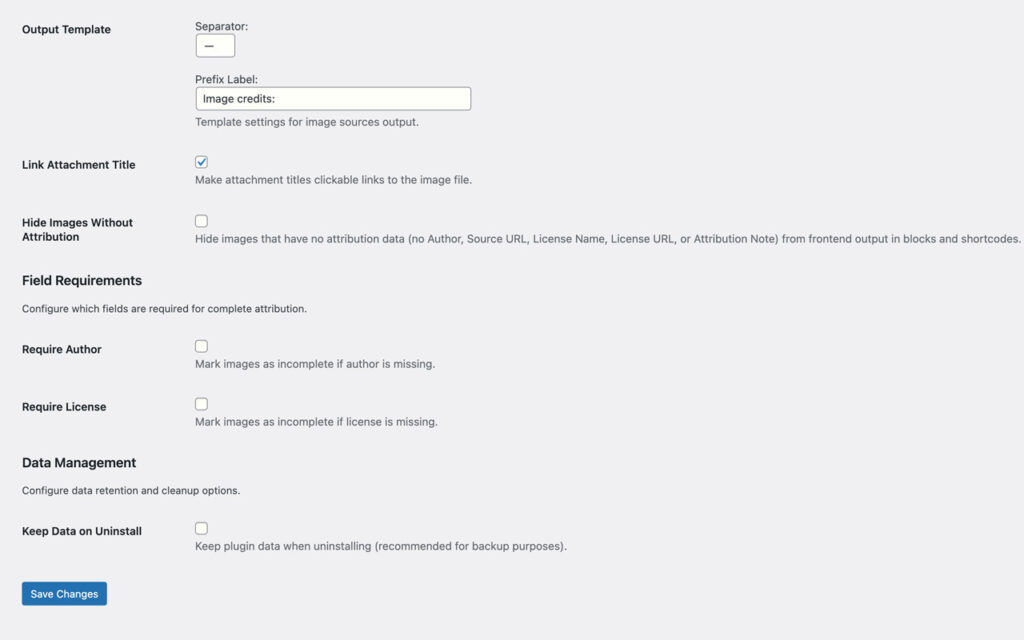
Set the defaults
Credit the pictures
Free forever, and why
This plugin is free and stays free. There is no Pro tier and none is planned. It exists because WordPress has no field for a photographer or a license, and the credit a license asks for should not depend on someone remembering it months later.
If it saved you an afternoon, the useful things are a rating on wordpress.org, a post in the support forum when something is off, or a hand with the translation.
Screenshots
Frequently asked questions
How do I add a photo credit in WordPress?
Do I have to type every credit by hand?
Which images does it find?
Can the credit sit on the image itself?
Does it work with the Classic Editor, Elementor and Cover blocks?
Can I list every image of the site on one page?
Can I bulk-edit an existing media library?
Can I control the markup?
Where is the data stored, and what happens on uninstall?
Does it send anything to the author or a third party?
Is there a Pro version?
Changelog
Jul 27, 2026: Elementor detection made generic: any widget that shows the featured image of the current post gets the credit, CSS-background layouts included; a fallback for themes that call wp_get_attachment_image() directly; sliders and galleries are left alone.
Jul 27, 2026: the Elementor featured-image widget, checkboxes for where the featured credit appears, the [imagcrco_image_credit] shortcode, the overlay inside Cover blocks, theme-safe wrappers.
Jul 27, 2026: credit on the image: caption or overlay, prefix, background color, opacity and edge distance, single line or stacked, the eiam_image_credit_html filter; fixes for attribute-less shortcodes and the per_page attribute.
Jun 24, 2026: the editor sidebar loads again, bulk editing saves, dismissible notices, image lookup through attachment_url_to_postid(), one scan per save, block registered from block.json, debug leftovers removed, WordPress 6.0 minimum.
Apr 29, 2026: custom colors save, separator and prefix work, license type applied to new uploads, color scheme for every output style, Plugin Check clean.
Nov 4, 2025: first release: detection on save, editor sidebar, admin overview with bulk editing, shortcodes and block, templates, REST API, settings.
More from desk9
Cookie Banner & Content Blocker YouTube, Maps and Analytics stay inert until the visitor says yes. The other thing a site owes its readers.
AI Content Disclosure One quiet notice that says where AI helped, before readers wonder.
All desk9 plugins Ten of them, maintained monthly, seven free.
Free forever. No Pro, no nag screens.
Every feature is in the free version. Updates arrive through WordPress, no account and no license key.
Free WordPress plugin
Download from wordpress.orgEvery feature, no Pro version
Updates through WordPress
No account, no license key
At a glance
Why it is free
Every feature is in the free plugin, and it stays that way. If it saves you time, a review on wordpress.org is the best way to say thanks.