AI Content Disclosure: tell readers where AI helped, before they wonder
A free WordPress plugin that turns your house rule into one consistent notice: which tools helped, and how far. Six designs and six contrast-checked color schemes mean it reads as part of the page instead of a warning sticker stuck on afterwards.
Do you have to label AI-assisted content?
The transparency rules in Article 50 of the EU AI Act have applied since 2 August 2026. Who they land on matters more than the date.
The duty to mark synthetic output in a machine-readable format sits with the provider of the generative system: OpenAI, Google, Anthropic and the rest. Systems already on the market before 2 August 2026 have until 2 December 2026 to meet it. If you publish a blog post, that duty is not yours.
What you carry as a deployer is narrower: deepfakes, and AI-generated or AI-manipulated text published to inform the public on matters of public interest. Even there, text that has undergone genuine human review or editorial control is exempt. A news desk and a recipe blog are not in the same position, and nothing published before 2 August 2026 needs a retroactive label.
So for most sites the honest answer is: probably not, not by statute. The better reasons were there first and reach well past the EU. Editorial policy. Client contracts. Platform rules. And the plainest one of all: a reader who finds out later trusts you less than a reader who was told.
None of that is the plugin’s call. It gives your answer one consistent place to live, the same on every post.
This plugin supports transparency. It is not legal advice; check what applies to you.
This is what it looks like
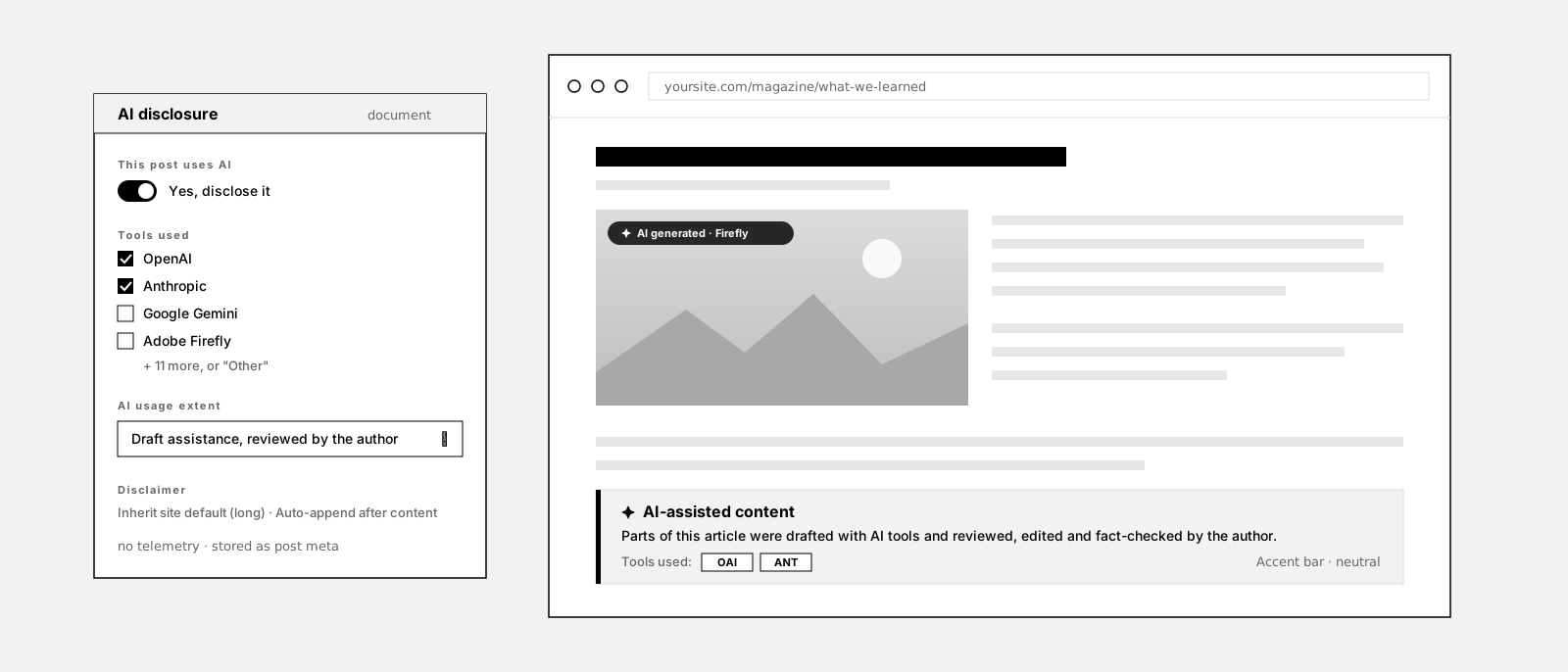
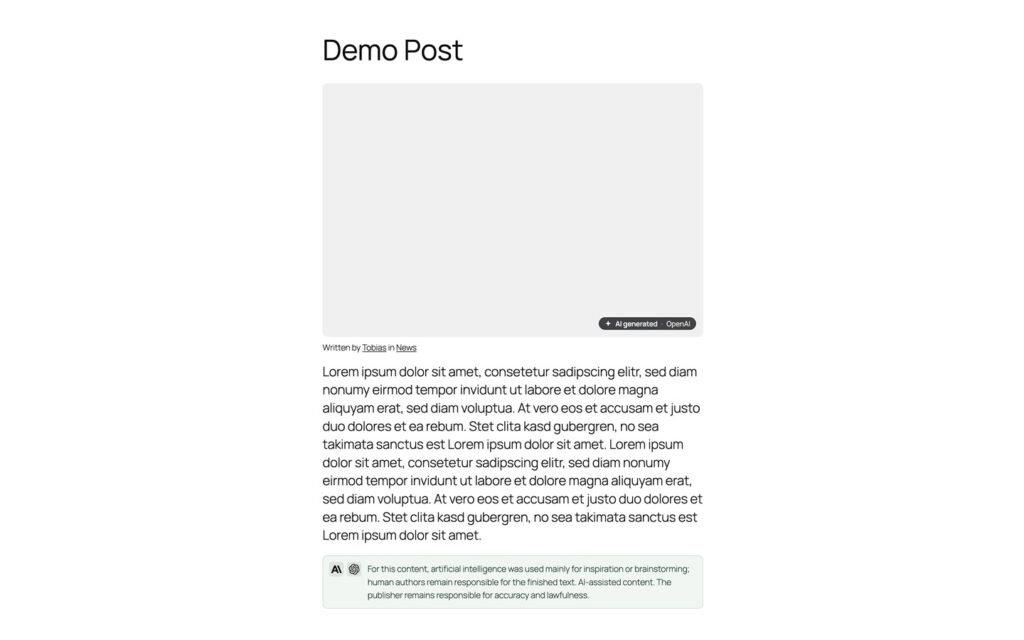
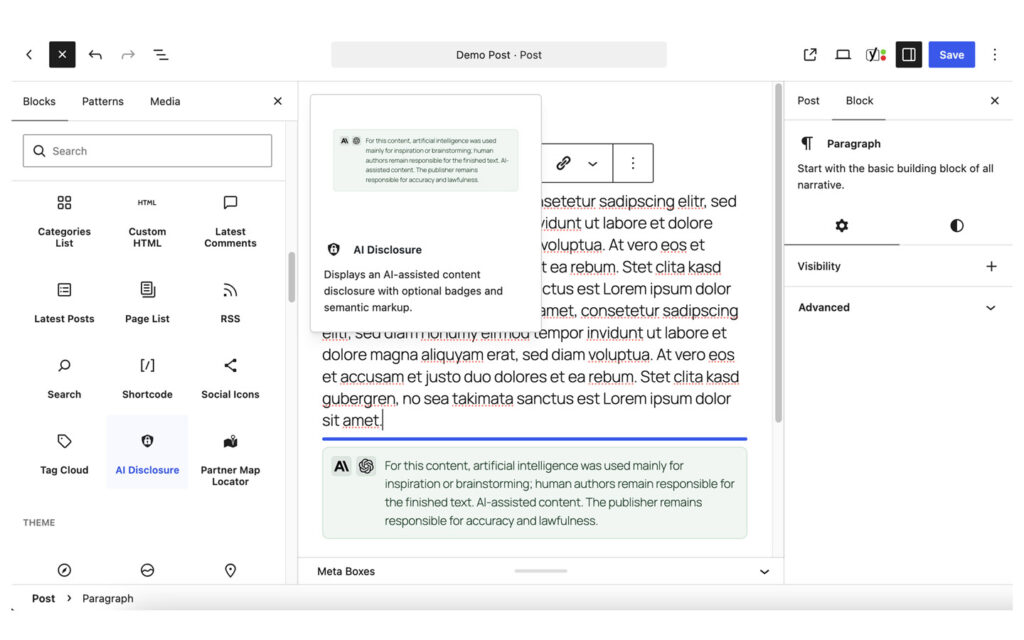
Every control in this demo is a real setting in the plugin or a per-post override. Nothing here is a mock-up.
How it works
Decide once
Let every post inherit it
Change the one article that is different
Mark the pictures too
What it does not do
This is the part most plugin pages leave out.
It does not detect AI content. You decide what gets labeled. No scanner, no score, no guesswork dressed up as a percentage.
It does not make your site compliant with any law. It is a way to state a decision you made, not a shield.
It adds no telemetry and no external request. Nothing new for your consent banner to mention.
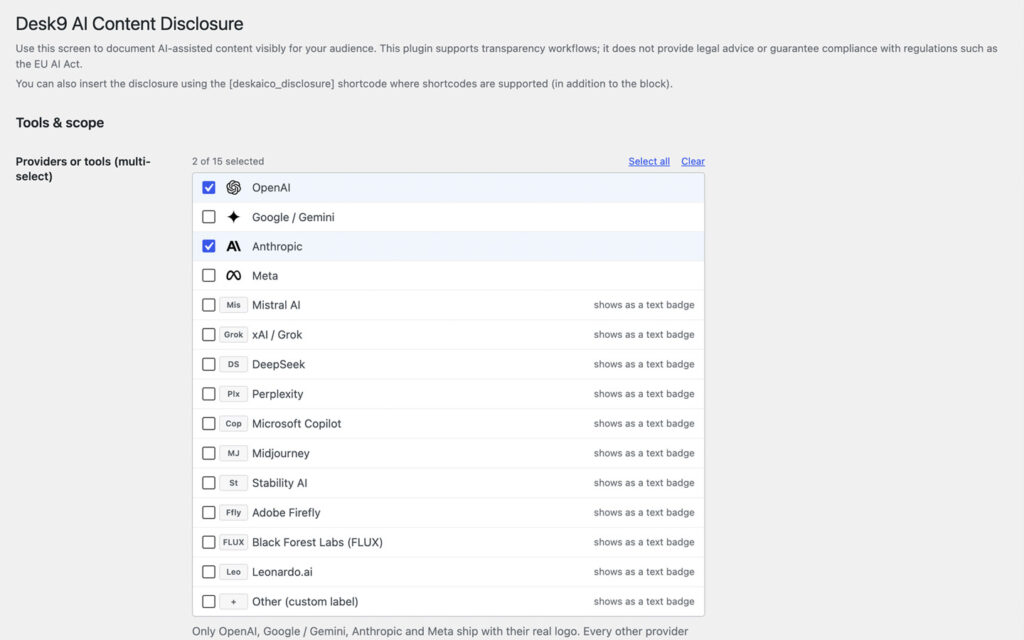
It invents no provider logos. Only OpenAI, Google Gemini, Anthropic and Meta ship a real, freely licensed mark. The other eleven show a short text badge, because a made-up logo tells a reader nothing and a lookalike would be a knock-off.
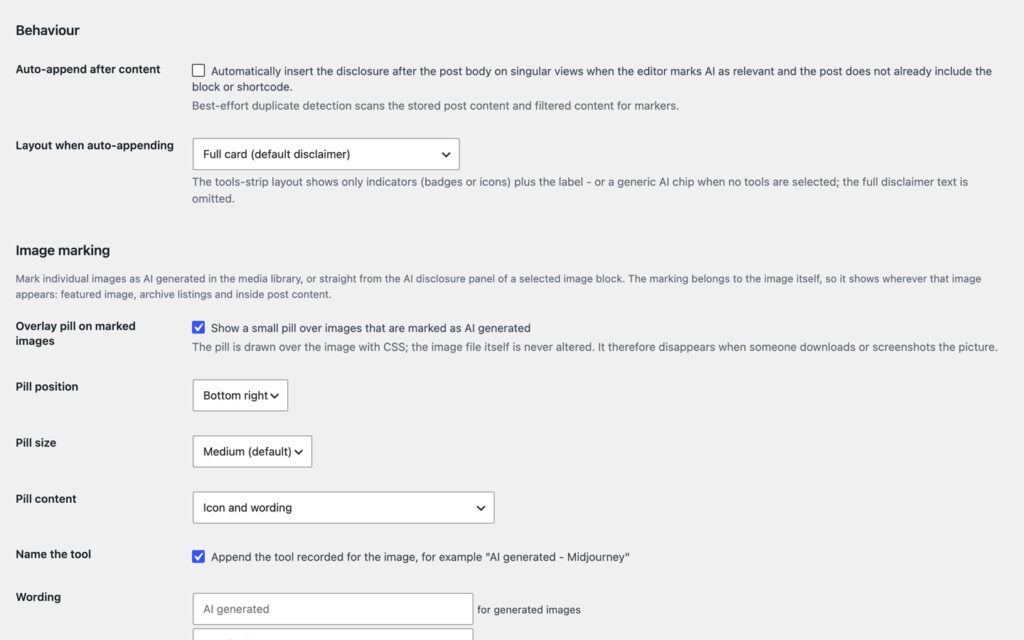
It writes nothing into your image files. The pill is drawn over the picture with CSS, so it is gone the moment someone downloads the file. That is not a watermark and the settings screen says so.
Why not just a yes/no checkbox?
Most ways of labeling AI set one flag: this post used AI, that one did not. Easy to build, and it tells a reader almost nothing. “Written by AI” and “an AI tidied up my last paragraph” end up wearing the same badge.
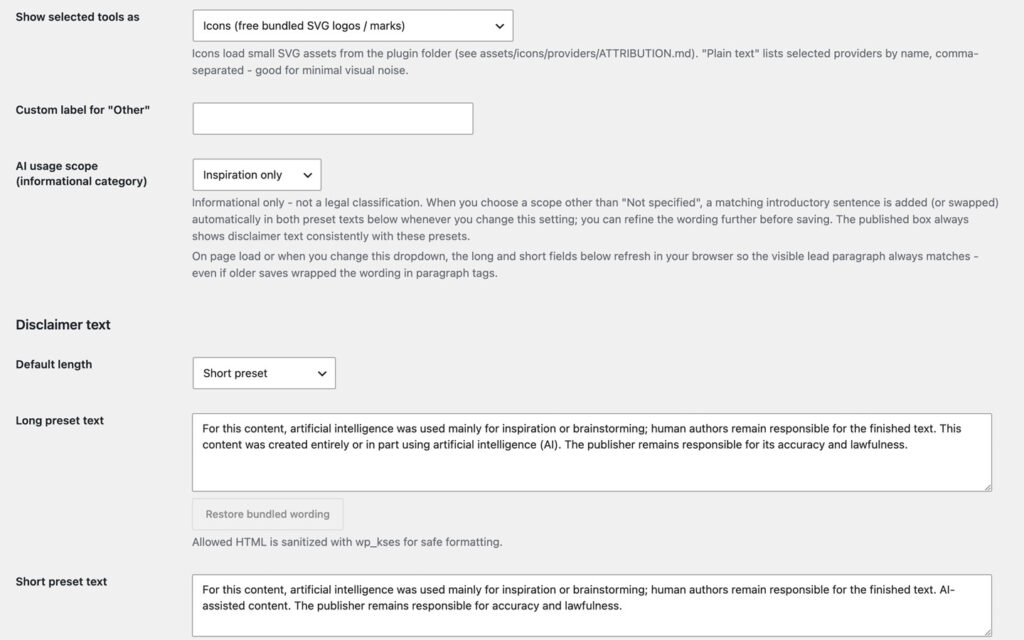
This plugin records two things instead of one: which tools were used, and how far their contribution went, from inspiration and research through draft assistance to a substantial portion.
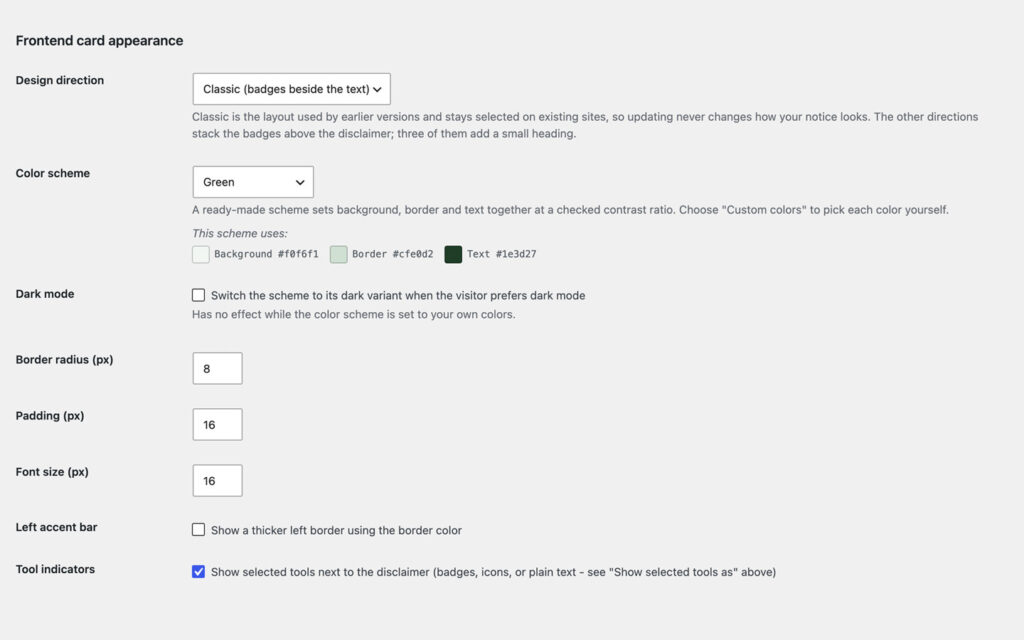
And the notice is built to match your theme. Six design directions and six color schemes, each checked at a contrast ratio of at least 4.5:1. A disclosure that looks like a warning sticker gets read as one. A disclosure that looks like part of the page gets read as information.
Set up in three steps
Install it
Set the house rule
Place it
Free forever, and why
This plugin is free and stays free. There is no Pro tier and none is planned. It exists because I needed it on my own sites, and a transparency notice that costs money is a slightly absurd object.
If it saved you an afternoon, the useful things are a rating on wordpress.org, a post in the support forum when something is off, or a hand with the translation.
Frequently asked questions
Do I have to disclose AI-generated content on my website?
How do I label AI-assisted blog posts in WordPress?
Does this plugin make my site EU AI Act compliant?
Does Google penalize AI-generated content?
Can I label individual AI-generated images?
Can one article use several tools, and can posts differ?
Will the notice show up twice?
Does it work without the block editor?
Does the plugin send data anywhere?
Does it work with WPML or Polylang?
Does it slow the site down?
Is there a Pro version?
Changelog
Sep 16, 2026: the provider list is one bordered list with the mark each tool gets on the front end, a selected count, Select all and Clear; all fifteen providers stay visible in Icons mode; keyboard focus outlines the whole row; interface strings are plain ASCII.
Aug 22, 2026: repaired the incomplete 1.4.0 package.
Six design directions, six color schemes, seven more providers, icons only where a real logo exists.
Per-image AI marking and the optional overlay pill.
Server-rendered editor preview, alignment and margin carried to the front end.
More from desk9
Image Credit Companion Photographer, license and source for every picture. The same editorial job as AI marking, one shelf along.
Cookie Banner and Content Blocker Nothing external loads until a visitor allows it.
All desk9 plugins Ten of them, maintained monthly, seven free.
Free forever. No Pro, no nag screens.
Every feature is in the free version. Updates arrive through WordPress, no account and no license key.
Free WordPress plugin
Download from wordpress.orgEvery feature, no Pro version
Updates through WordPress
No account, no license key
At a glance
Why it is free
Every feature is in the free plugin, and it stays that way. If it saves you time, a review on wordpress.org is the best way to say thanks.