Notice Planner: a site notice that arrives on time and leaves on its own
A free WordPress plugin for the notices a site actually needs: holiday closures, changed hours, maintenance windows, delivery delays. Write it once, set the period, pick a look, and the bar or dialog appears and disappears by itself, in your timezone, every year if you want.
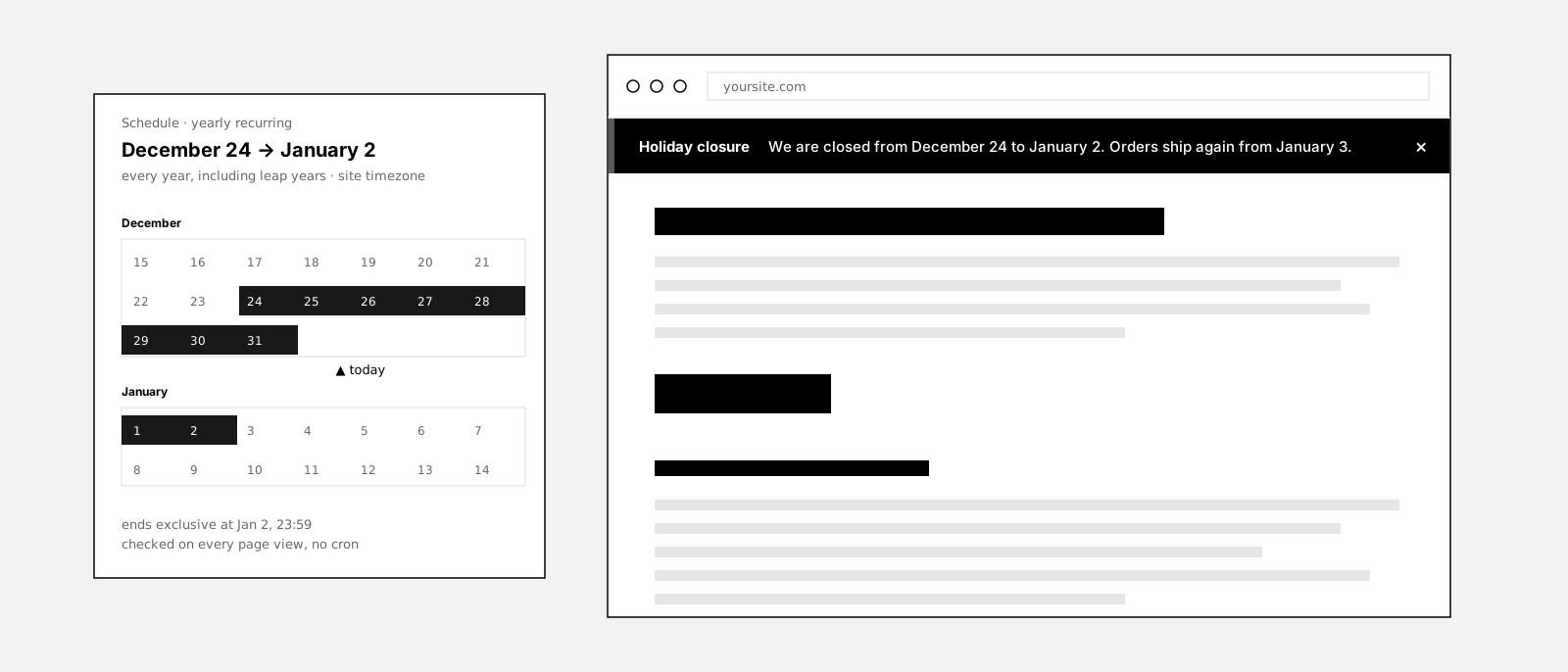
Do you need a plugin for a holiday notice?
You can type “closed until January 2” into the header of any site in a minute. The trouble starts afterwards. Someone has to take it down on January 3, ideally at midnight, put the next one up before the summer break, and the one after that. Plenty of sites carry a notice that is weeks out of date.
A notice is a scheduling problem more than a design problem. It has a start, an end, sometimes a yearly rhythm, and it has to be evaluated in your timezone, not the server’s. It has to survive a page cache that stored the page before the notice existed. And when it matters, it has to be a real dialog that keyboard and screen-reader users can reach, read and close.
Popup and marketing-bar plugins solve a different problem: attention. They come with countdowns, exit intent, split tests and a tracking script, because they are built for campaigns. A closure notice is not a campaign.
This plugin does the quieter job. One notice type, two layouts, precise scheduling, fifty looks that pass the contrast check, and nothing that phones home.
This is what it looks like
We are closed from December 24 to January 2.
Orders placed during the break ship from January 3. Support answers e-mails on January 2. Thank you for a good year.
Dismissed for this session. Stored in the browser only, no cookie. Editing the notice or “Show again” brings it back for everyone.
The bar, the inset bar and the fullscreen dialog in five tones, with a working close button and Show again. Every control here is a real setting in the plugin.
How it works
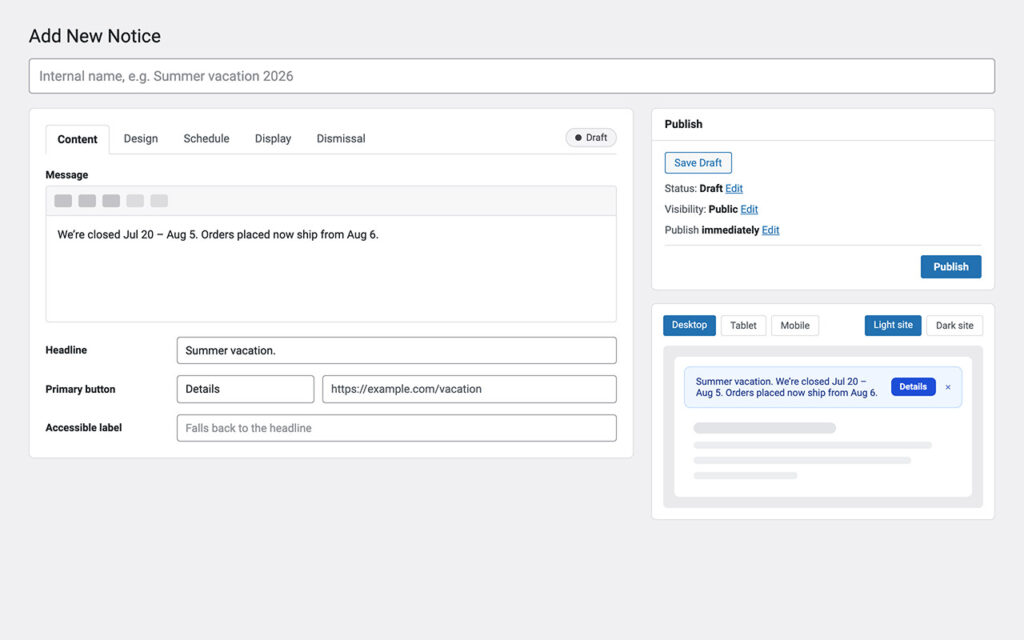
Write it once, from a template or blank
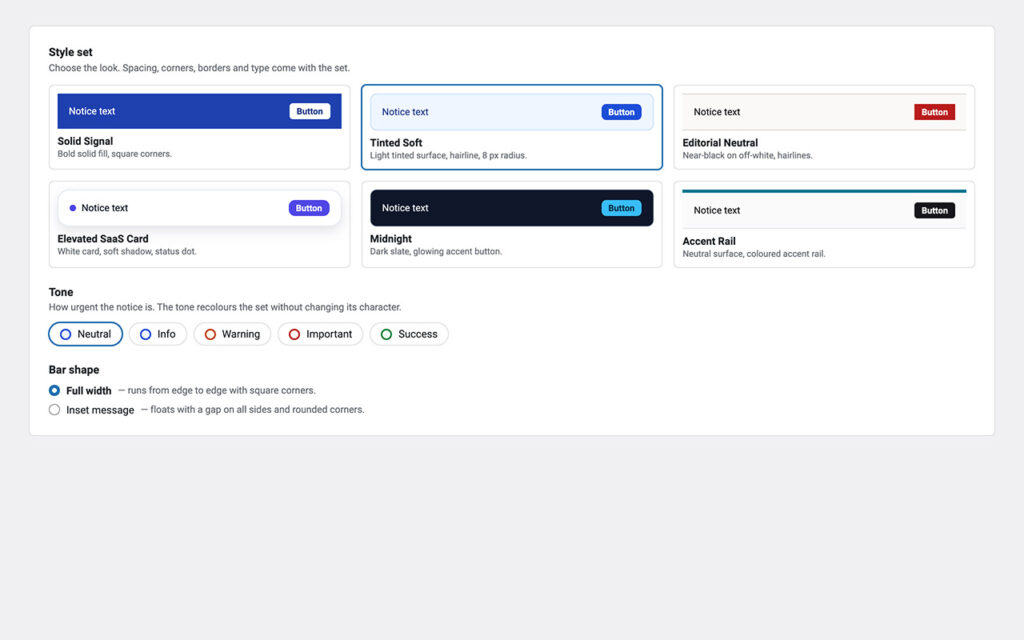
Make it look like part of the site
Set the period and forget it
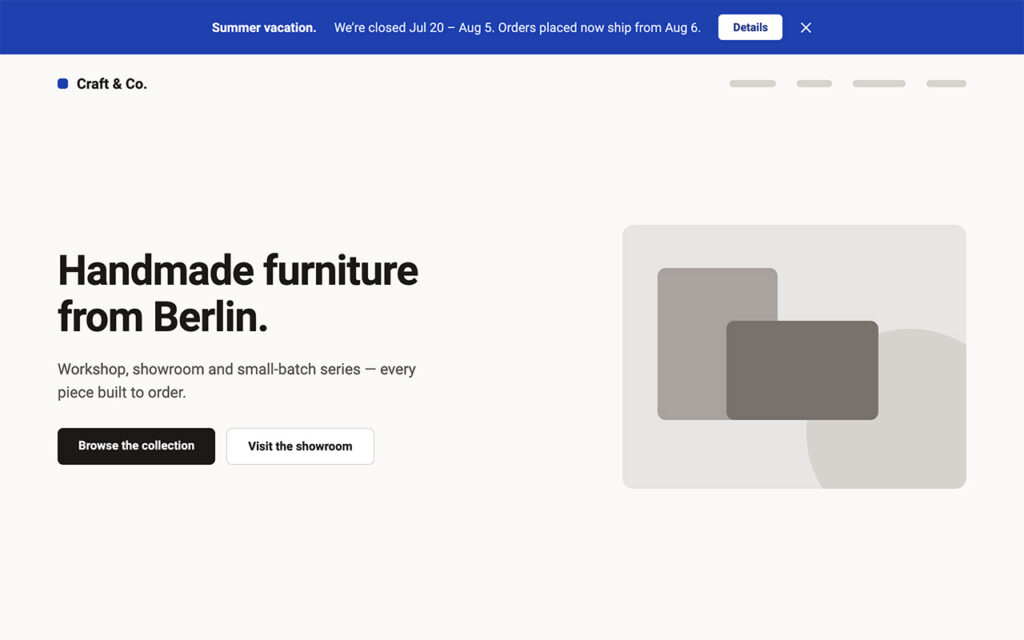
The visitor sees it on time, and can close it
What it does not do
This is the part most plugin pages leave out.
It is not a marketing popup. No exit intent, no countdown, no split test, no lead form. It is built to inform, not to convert, and its weight shows that: no jQuery on the front end, assets only on pages that show a notice.
It tracks nobody. No external request, no telemetry, no cookie. A dismissal lives in the visitor browser only and is never transmitted anywhere.
It cannot fix a cache that never saw it. Cache-safe delivery corrects pages cached after activation. A copy stored before the plugin existed has no loader in it, so clear the cache once.
It shows one notice at a time by default. When notices overlap, the highest priority wins, or up to three bars stack if you switch the mode. More than three is a design problem, not a setting.
It has no free-text CSS field. Colors, spacing, corners and type are validated fields rendered as custom properties. Anything beyond that belongs in your theme stylesheet.
It ships in English. Every string is translatable and the notice type works with WPML and Polylang, but no language pack is bundled yet.
Why not just a line in the header?
Because a line in the header has no calendar. It goes up when someone remembers and comes down when someone else notices, and the page cache keeps the old version for another hour after that.
It also has no semantics. A closure typed into a widget is text among text. A warning that matters needs a region a screen reader announces, or a dialog the keyboard can reach, and a way to close it that is remembered next time.
A scheduled notice knows its dates, its priority, its audience and its end. It appears at midnight on December 24, leaves at midnight on January 3, and does the same next year without anyone touching it.
Set up in three steps
Install it
Pick a template or start blank
Set the period and publish
Free forever, and why
This plugin is free and stays free. There is no Pro tier and none is planned. It exists because every shop, practice and office site needs a closure notice at some point, and the choice used to be a text widget or a marketing suite.
If it saved you an afternoon, the useful things are a rating on wordpress.org, a post in the support forum when something is off, or a hand with the translation.
Frequently asked questions
Why is my published notice not visible?
When exactly does a notice end?
Can a notice repeat every year?
My notice does not appear, or an old version keeps showing.
Can I use my own colors?
Does the plugin set cookies?
I dismissed a notice myself and cannot get it back.
Can somebody manage notices without being an administrator?
Does it work with WPML, Polylang and block themes?
What happens on uninstall?
Is there a Pro version?
Changelog
Sep 11, 2026: cache-safe delivery and cache purging for fifteen known caches, a color for the area around an inset bar, outline width and close button options per notice, every color override now visible; fixes for the close button wrapping in long bars, theme global styles overriding the notice text, and the Bold headline checkbox.
Sep 2, 2026: first release: announcement bars and fullscreen notices, Notice Manager role, date ranges and yearly periods in the site timezone, year calendar, Quick Notice with 27 templates, ten style sets and five tones, two-column editor with live preview, dismissal with content versioning, priorities and conflict detection, display rules, WPML and Polylang compatibility.
More from desk9
Cookie Banner & Content Blocker YouTube, Maps and Analytics stay inert until the visitor says yes. The notice a site owes its readers by law.
Broken Content Reporter Readers report the dead link or missing image in two clicks, with the page URL attached.
All desk9 plugins Ten of them, maintained monthly, seven free.
Free forever. No Pro, no nag screens.
Every feature is in the free version. Updates arrive through WordPress, no account and no license key.
Free WordPress plugin
Download from wordpress.orgEvery feature, no Pro version
Updates through WordPress
No account, no license key
At a glance
Why it is free
Every feature is in the free plugin, and it stays that way. If it saves you time, a review on wordpress.org is the best way to say thanks.