Resource Port Pro: A document library people can search, and price lists only your dealers can open
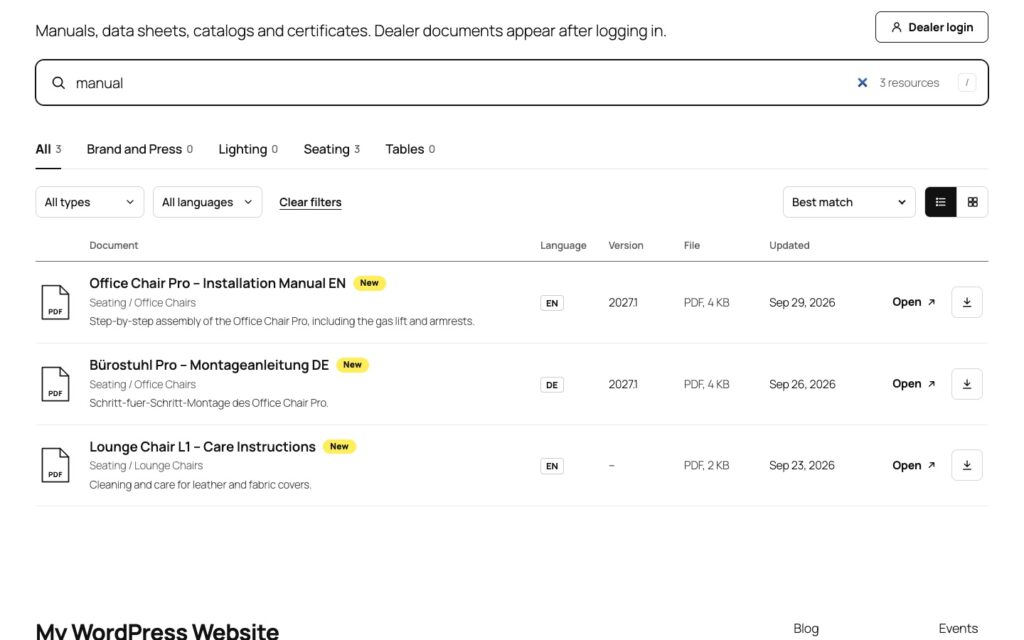
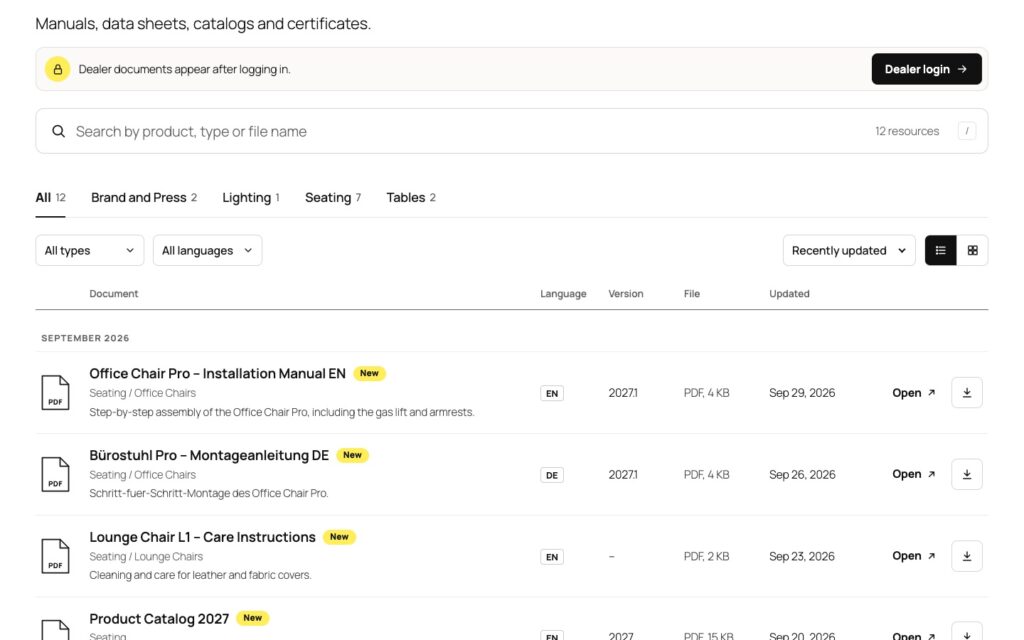
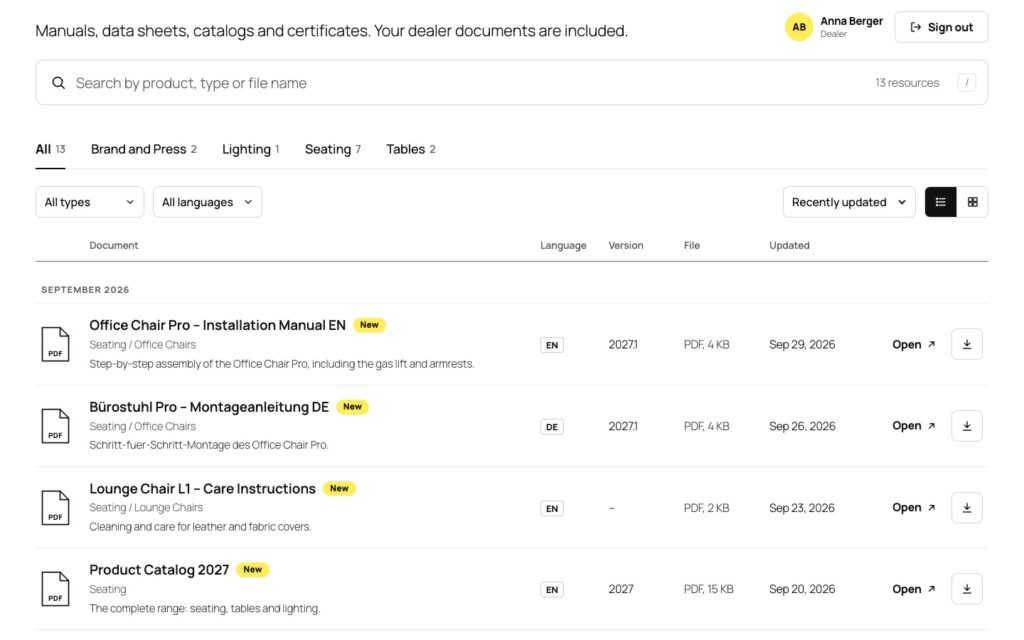
Manuals, catalogs, data sheets, certificates and price lists in one library: a visitor types two words, taps the result and the PDF opens. Public documents stay public. Dealer material is shown only to the people who may open it, and its file cannot be reached by a direct link. Sign-in on a page of your site, share links, expiry dates, statistics without personal data. One plugin, one price, no free version to outgrow.
Does a document area have to be a download manager?
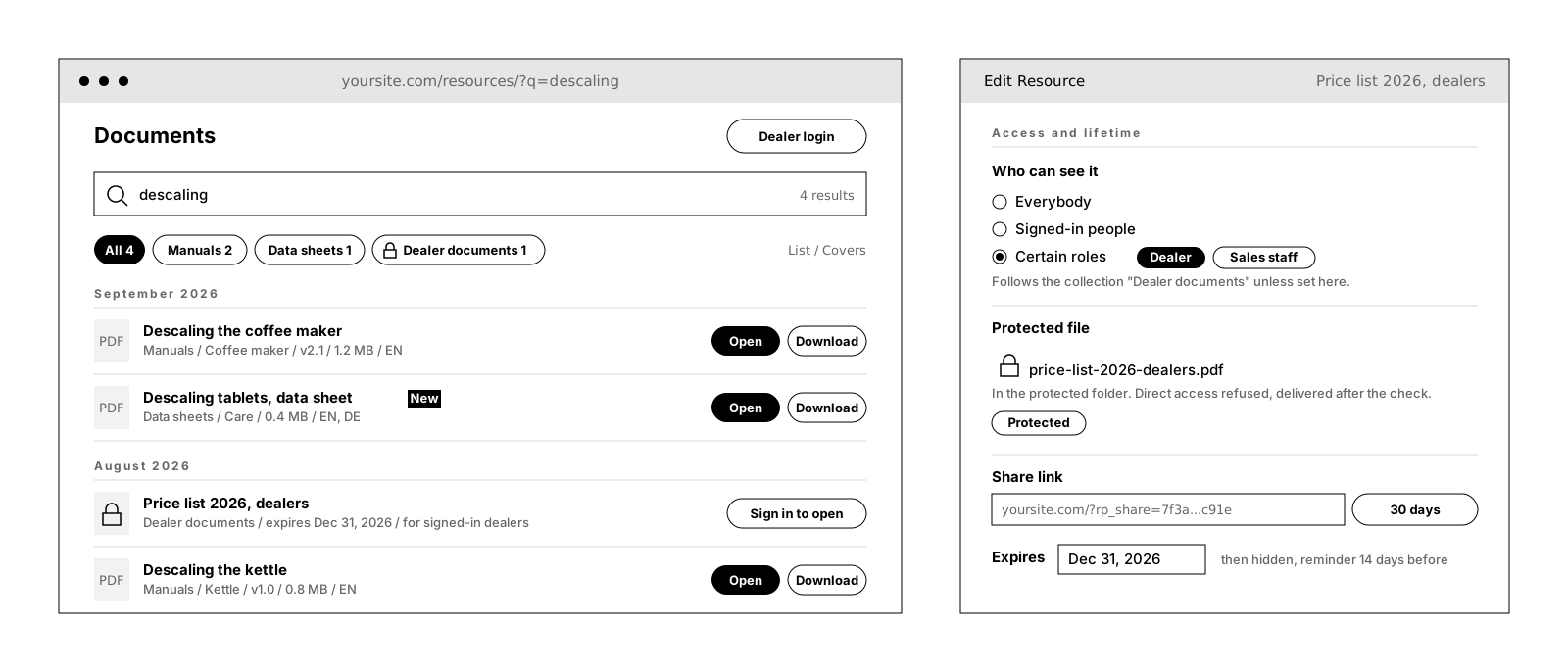
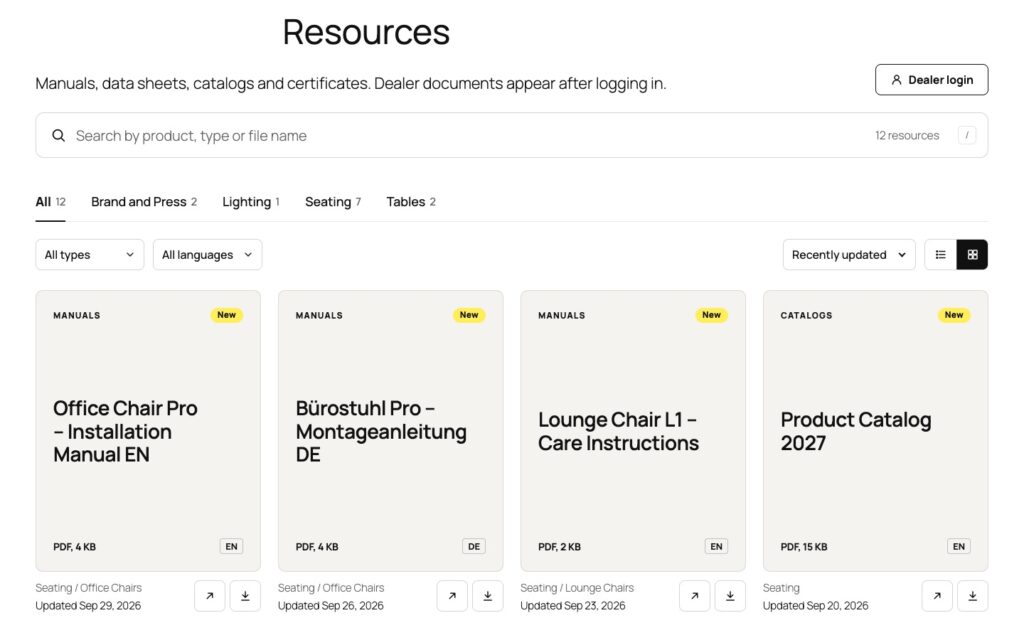
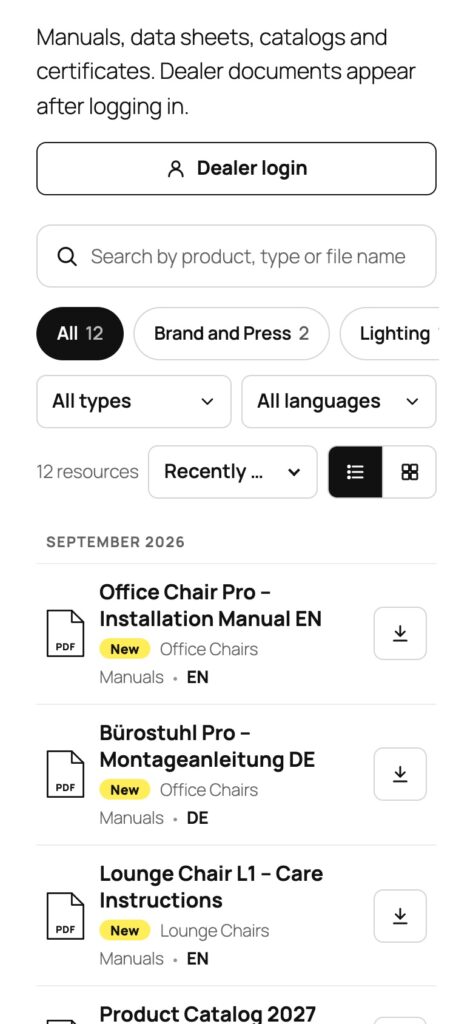
Most WordPress download managers were built around a different question: how many times was this file downloaded, and can we put a form in front of it? What they are bad at is the thing people actually do on a support page: find the right, current document fast, often on a phone, often while standing in front of a customer. A category dropdown does not scale past fifty files. A detail page between the search result and the PDF is one tap too many.
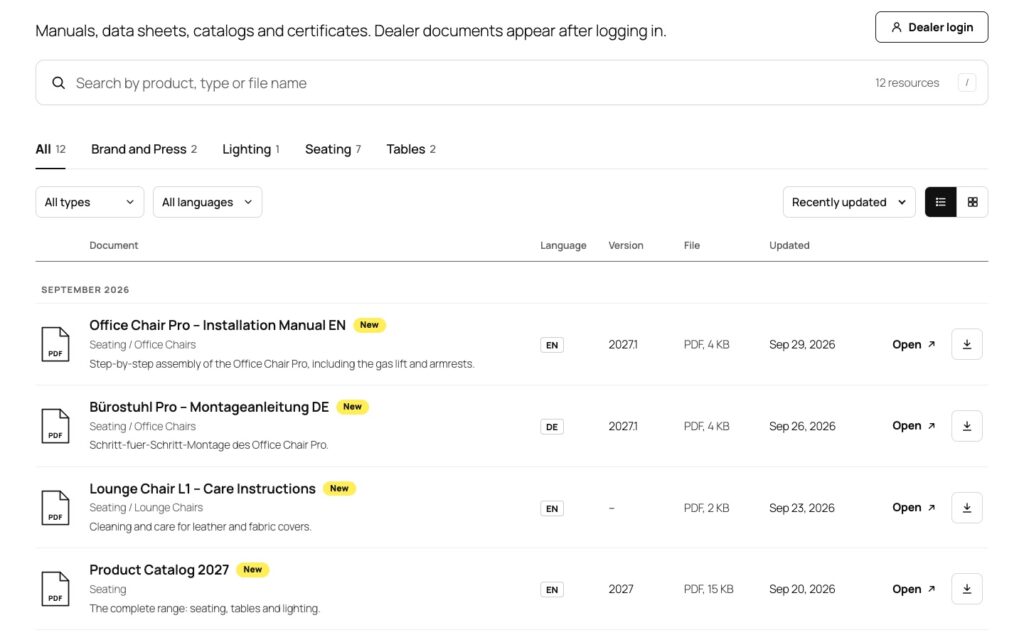
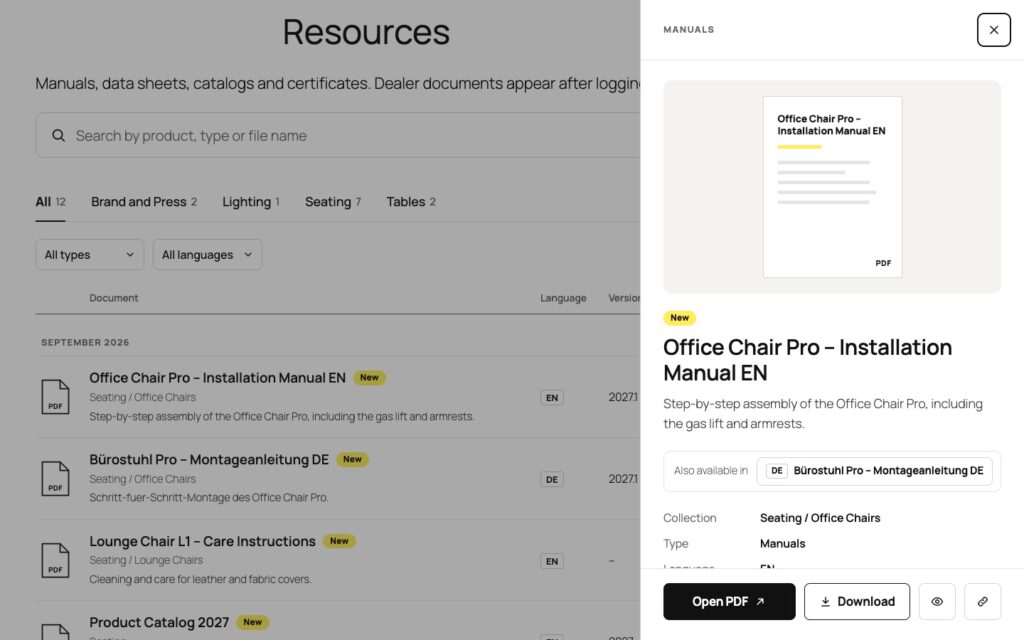
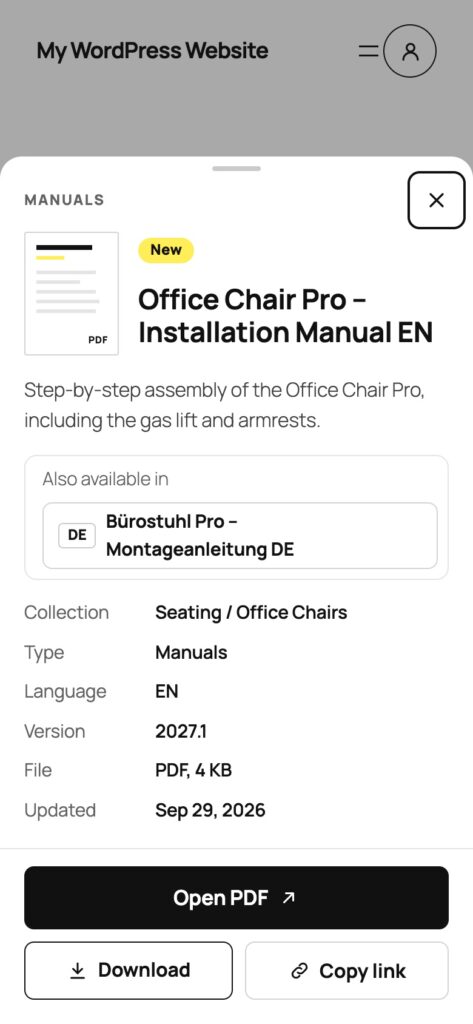
ResourcePort starts from retrieval. Search covers titles, descriptions, collections, types, tags, file names and versions, and German umlauts match however they are typed. The PDF opens in the browser’s own viewer; Download is a second button, not the only way. And when a document is not meant for everyone, the file’s address is not the access control: restricted files live in a protected folder and are delivered only after the check.
Search. Open. Done. And no visitor is tracked: no IP address, no user, no cookie in the statistics, no request to an external service while people use the library.
Who may see what, decided once per collection
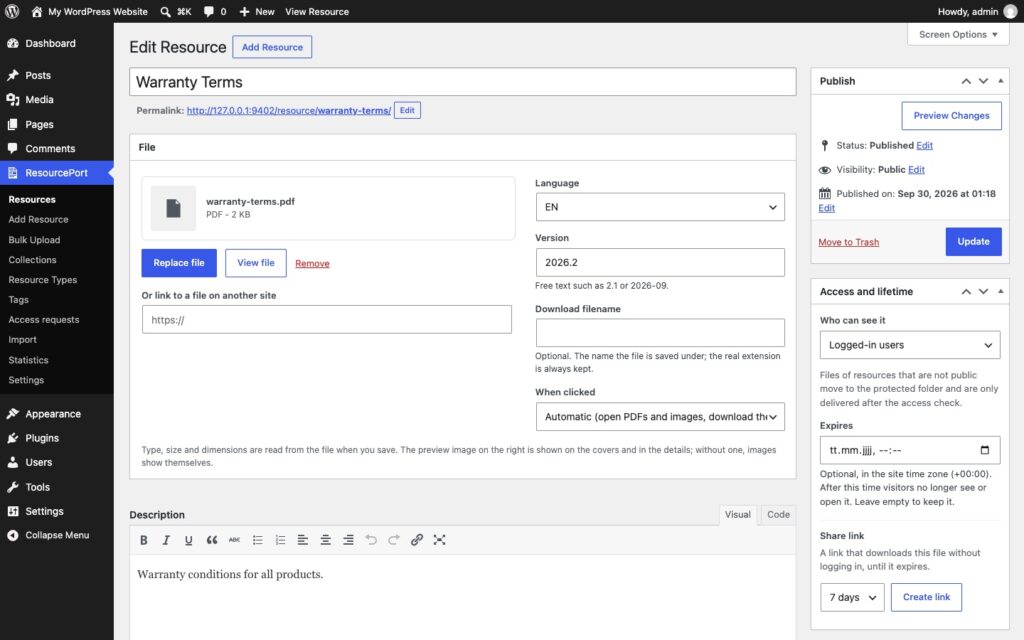
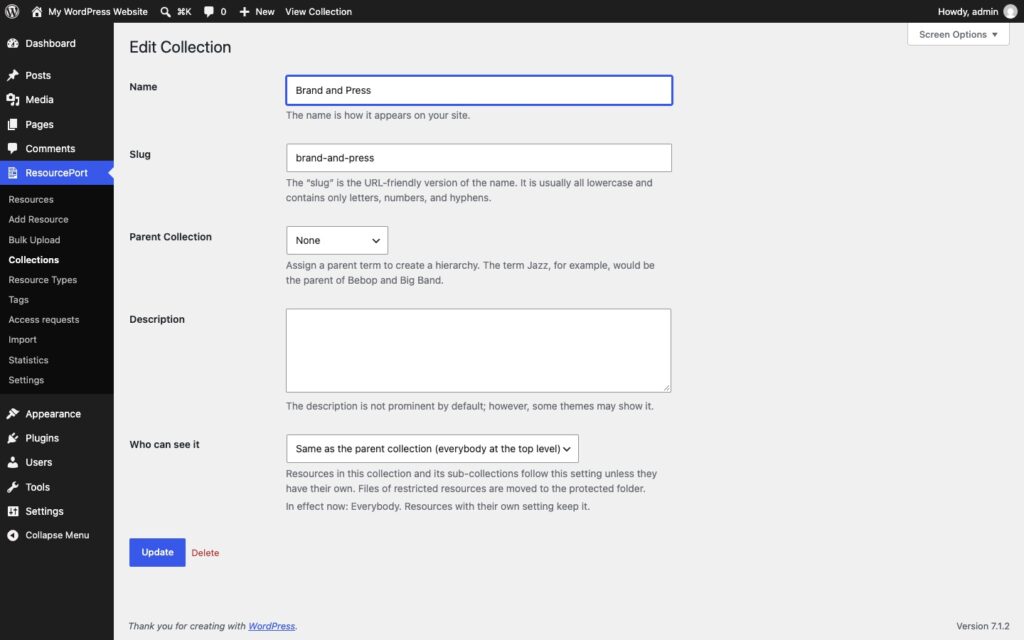
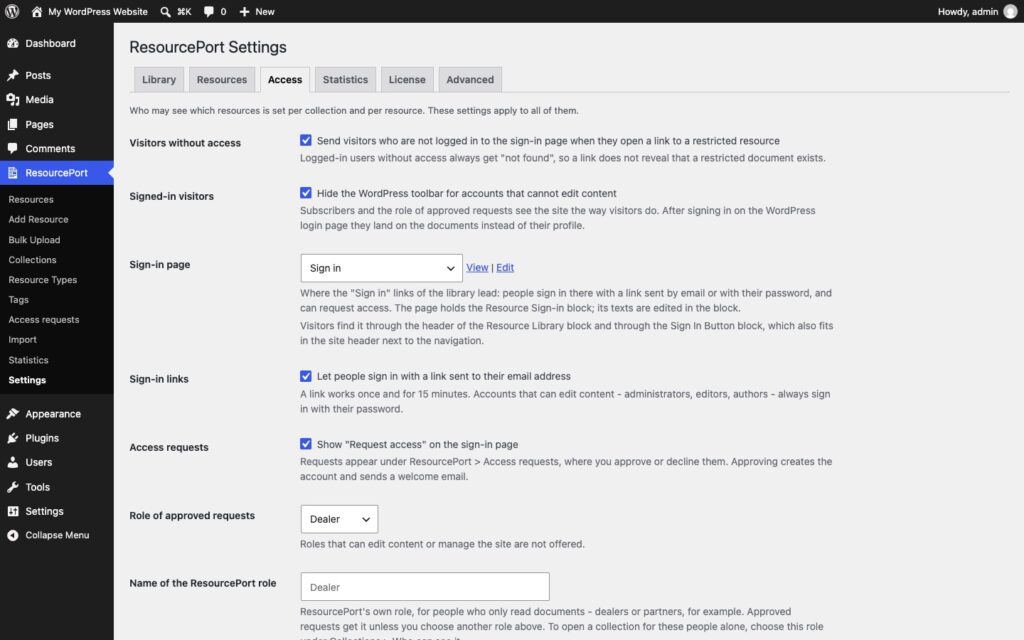
Every collection and every resource has one setting: everybody, signed-in people, or certain roles. Sub-collections and resources follow their collection unless they say otherwise. The rule is enforced everywhere, not just hidden in the list: library, site search, resource pages, REST API, feeds, sitemaps (WordPress, Yoast SEO, Rank Math), Open, Download and the file itself. A person without access does not even learn that the document exists; a direct link answers “not found”.
Files of restricted resources move to a protected folder that refuses direct access. The plugin checks whether your web server honors it (Apache and LiteSpeed through .htaccess, IIS through web.config) and shows the one rule to add on Nginx. Delivery goes through X-Sendfile or X-Accel-Redirect where available, with range requests for large PDFs. A share link hands one file to someone without an account, for 7, 30 or 90 days, and one click revokes every link ever sent.
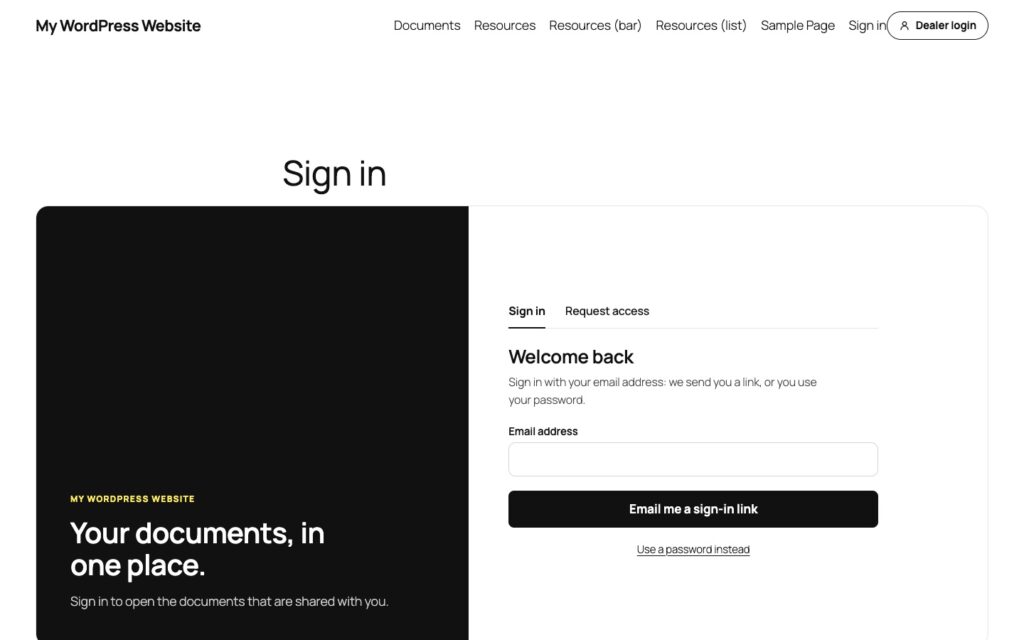
Dealers sign in on a page of your site, not on wp-login.php: with a one-time link sent by email or with their password. Visitors can request access there; you approve or decline in the admin, and approval creates the account, gives it ResourcePort’s own role and sends a welcome email. The library’s header carries the sign-in button in your words (“Dealer login”), and a Sign In Button block puts it into the site header next to the navigation. Nobody sees the WordPress login.
How it works
Collections are the structure, and the access rule
Forty PDFs in one pass


One block for the library, one for a single document
Lifetime, freshness and the numbers
Who uses it
Manufacturers with a dealer network
Distributors and franchises
Associations and member organizations
Internal portals and technical support
Plans
There is one plugin and it has every feature on this page. The plans differ in one thing only: how many sites the license key activates.
14-day money-back. Renews yearly at the same price, cancel anytime. Keeps working after expiry, updates and support stop. The plugin is GPL: what you buy is a year of updates and support for the sites in your plan, and the license key that delivers them.
What it does not do
This is the part most plugin pages leave out.
It is not a shared drive. ResourcePort publishes documents you put into it. There is no folder sync, no versioned editing, no comments on files and no external storage yet. Files live in your media library and, when restricted, in the protected folder next to it.
It does not gate downloads behind a form. No name-and-email wall in front of a public PDF. A document is either public or for signed-in people; the way to a document for a dealer is an account, not a form on every file.
No full-text search inside PDFs. Search covers everything you and the file name say about a document: title, description, collections, types, tags, version. It does not read the pages of the PDF.
Files on other sites stay as protected as that site makes them. A resource may link to a file elsewhere. Resource Port Pro hides that link from people without access; the file itself is out of its reach.
Protection depends on your web server. Apache, LiteSpeed and IIS honor the protected folder out of the box. Nginx needs one rule, which the settings screen shows you. Until the check passes, the plugin says so on every ResourcePort screen.
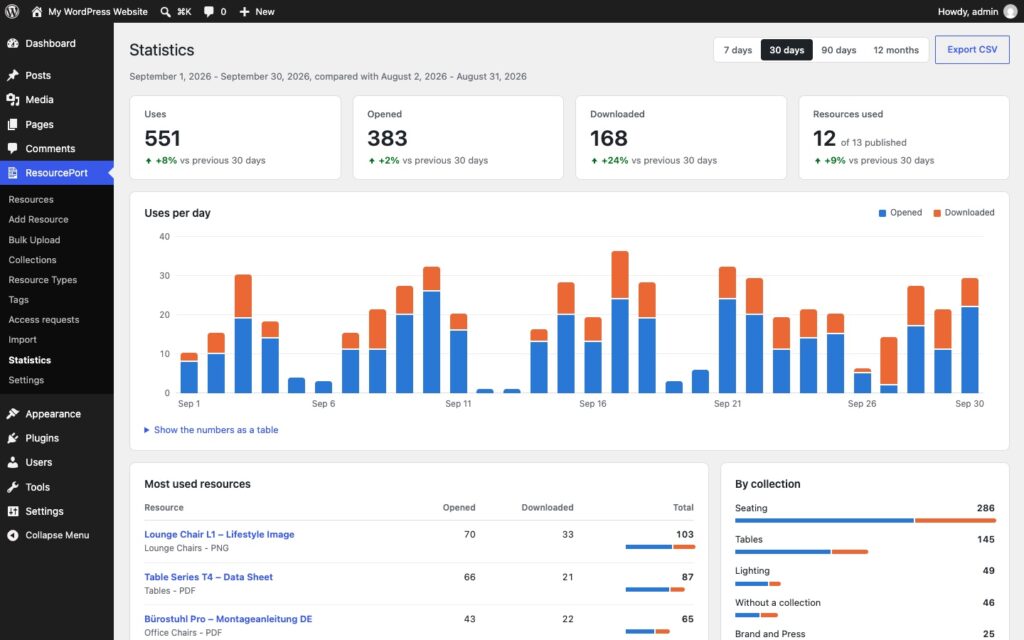
Statistics are counters, not analytics. Uses per document and day, compared with the period before. No visitor profiles, no funnels, no IP addresses, and the numbers are removed after the period you set.
It ships in English and German. Every string is translatable, and WPML and Polylang are supported with a model that keeps one resource per document. The interface arrives in English with a German translation included.
Why not a download manager, or a shared drive?
A download manager counts downloads and puts a shortcode on every file. It knows nothing about a dealer, a role or a price list that must not be public, and a hidden file with a guessable address is not protection. A shared drive knows access, but it is not your website: no search on your page, no library in your design, no sign-in in your words, and every partner needs an account with a provider you do not control.
Resource Port Pro is the library inside WordPress with the access model of a portal: collections decide who sees what, the file is delivered only after the check, dealers sign in on your site, and the statistics tell you what is used without telling you who. Documents stay ordinary posts and files in your media library, so nothing is locked into the plugin.
Set up in three steps
Install and activate
Collections, access, documents
Place the blocks
Pro only, and what that means
Most desk9 plugins have a free version on wordpress.org and a Pro that adds to it. This one does not: it is the whole plugin, sold once, with nothing held back for a higher tier. What you pay for is a year of updates and support for the sites in your plan, and the license key that delivers them inside WordPress.
The plugin is GPL, like everything from desk9. It never contacts our servers on behalf of a visitor; the only calls to desk9design.com are the license check and the update check from your admin, with the product name, the key, your site URL and the installed version. After the year the plugin keeps working; only updates and support stop until you renew. If something is missing, the ticket form is one click away in your account.
Screenshots


Frequently asked questions
Are restricted files really protected?
Can a signed-in user without access see that a document exists?
What about preview images?
How do dealers get an account?
Why does a PDF open instead of downloading?
Can I show only part of the library on a page?
Does it work with WPML or Polylang?
Which personal data do the statistics store?
Does it work with the classic editor or a page builder?
Where is the data stored, and how do I move it?
What is the difference to the CodeCanyon edition?
What happens when my subscription expires?
How many sites can I use it on?
Can I upgrade to a bigger plan later?
What if it is not for me?
Changelog
More from desk9
Video Guides Pro Product videos and manuals grouped by product, with nothing loaded before a click.
Partner Map Locator The dealers who sign in here, on a map that contacts nobody until you say so.
All desk9 plugins Maintained plugins, most of them free.
Your documents, easy to find. Your price lists, only for the people who may open them.
Your subscription is what funds the next release.
Yearly subscription
€99 /year
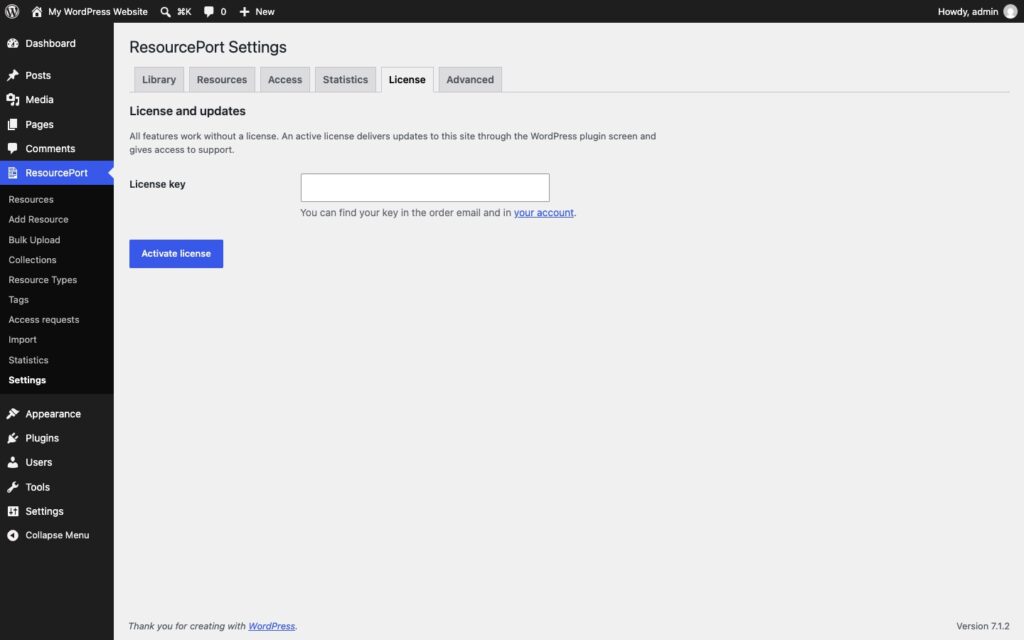
No free version to install first. Upload the ZIP from your account, activate it, paste the license key under ResourcePort, Settings, License. Every feature works before the key is in; the key brings the updates.
At a glance
Pro