Simple Password Protect: one password in front of the whole site
A free WordPress plugin that puts a branded password gate in front of every public page: staging sites, client previews, private blogs, the week before a relaunch. One switch, one shared password, your logo and colors, and visitors stay in for 24 hours.
When is one password enough?
WordPress offers two ways to keep people out. The per-post password protects a single post and nothing around it. User accounts protect everything, at the price of registration, roles and password resets for people who only wanted a look.
Between the two sits the case most sites actually have: a staging copy, a relaunch in progress, a client review, a family blog. Everyone allowed in shares one word, nobody needs a profile, and the page they land on should look like the site, not like a fault in the web server.
Hosting-level protection, the browser’s own password prompt, does the job technically and looks exactly like that fault. It cannot carry a logo or a sentence explaining what the visitor is looking at, and it stands in front of everything that calls the site from outside, from uptime monitors to payment webhooks.
This plugin is the middle option. One switch, one password, a page with your logo, your wording and your colors, and a 24-hour cookie so the reviewer types the password once, not on every page.
It is a gate for the front end, not encryption. Content that must stay confidential belongs behind real accounts or off the public web.
This is what it looks like
Unlocked for 24 hours · one cookie, no account
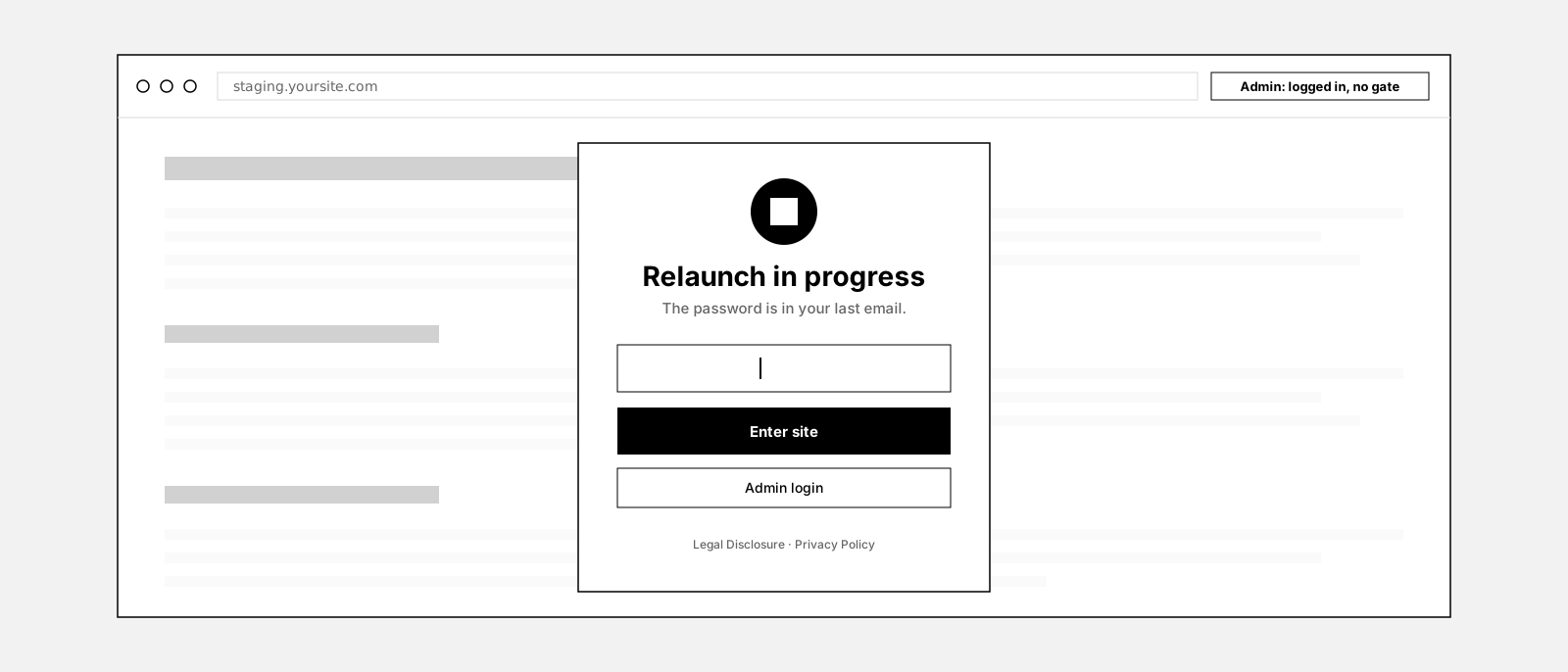
Your real page renders here, readable before anyone enters a password. Visitors are entitled to reach the legal notice and the privacy policy without a login, so the gate opens them in a modal.
The gate in front of a page. Type preview to open it, a wrong password shakes the field, the legal links open a modal, Lock again closes it. The chips switch the logo shape.
How it works
One switch, one password
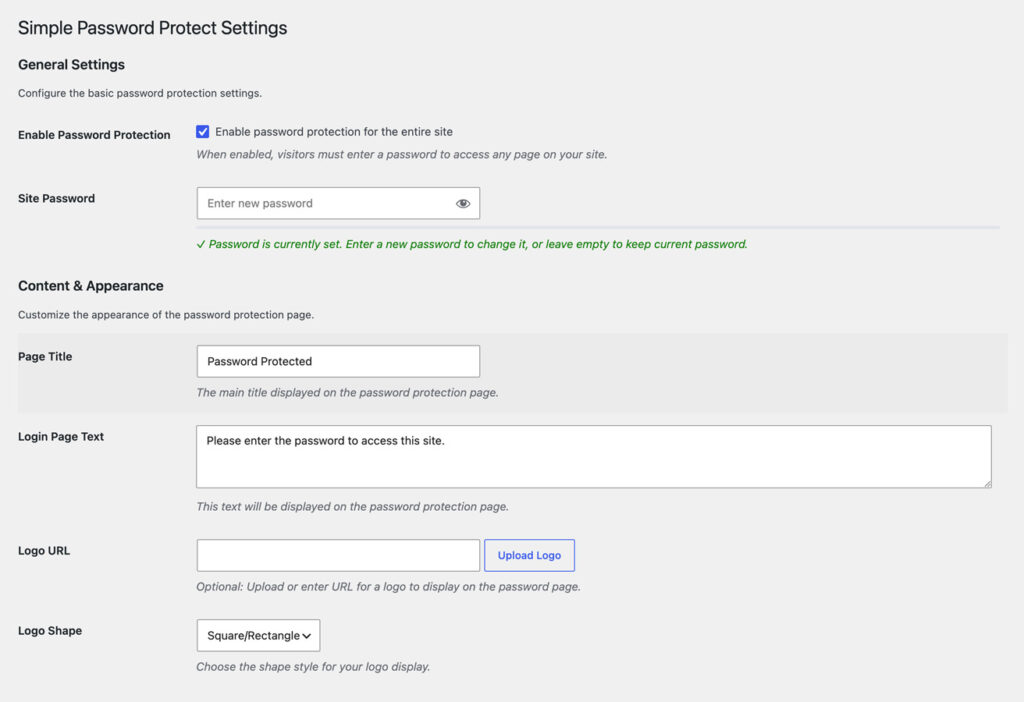
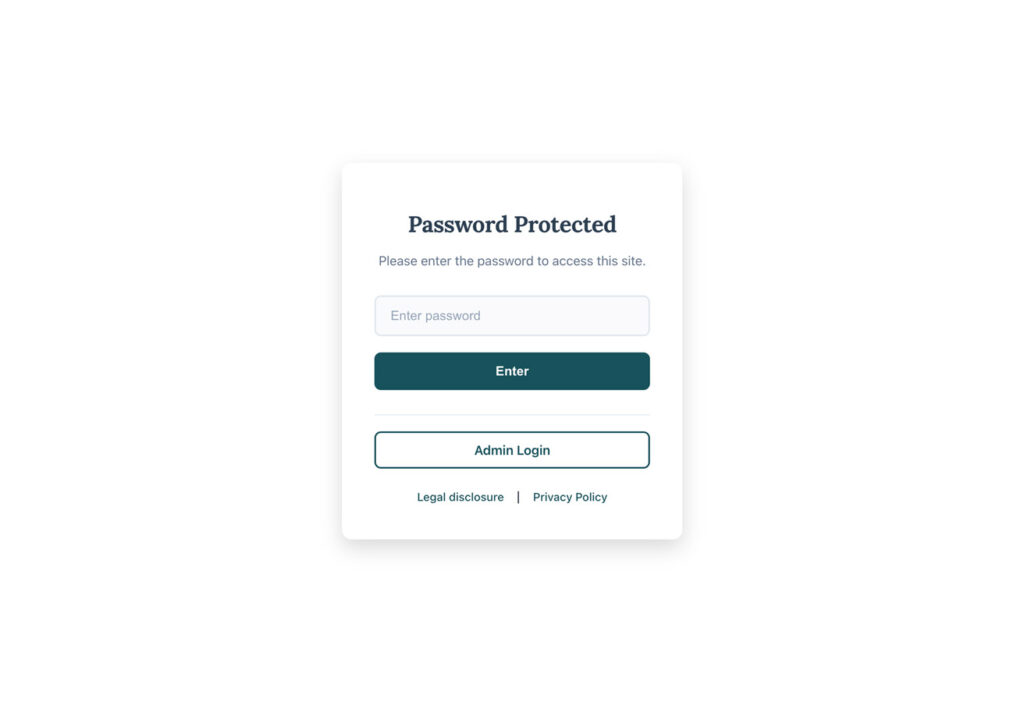
Visitors meet a gate, not an error page
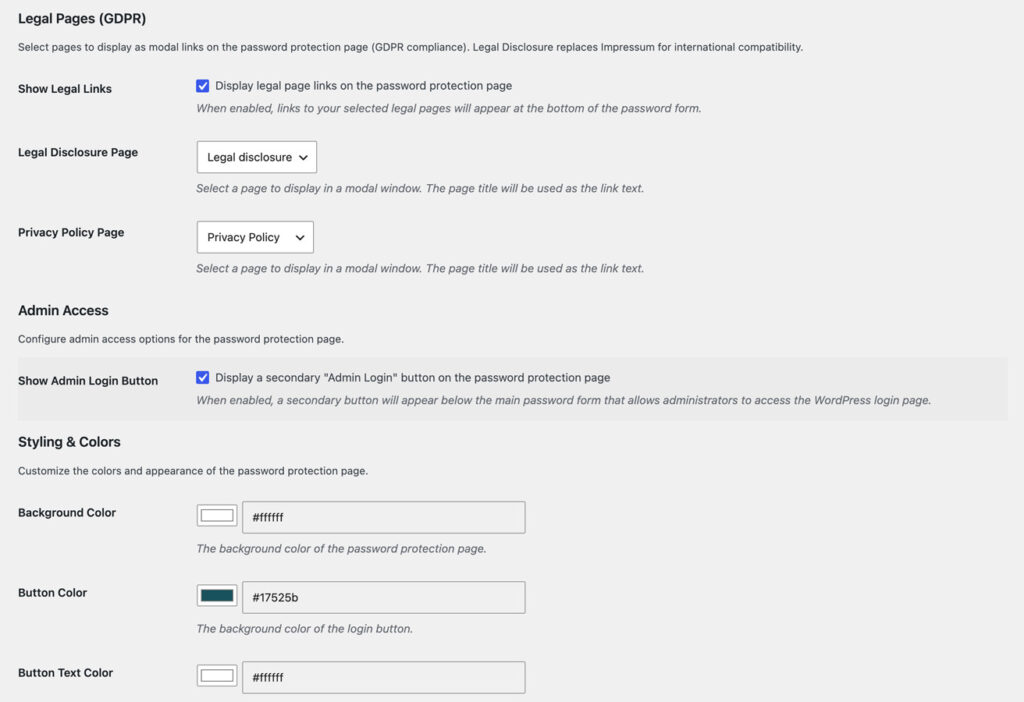
Make it yours in four fields and four colors
Getting in, and staying in
What it does not do
This is the part most plugin pages leave out.
It is a gate, not a vault. Since 1.1.1 the REST API is closed to visitors without the password too, but uploaded media files are served by the web server directly and stay reachable for anyone with the link. Use it for staging, previews and private blogs, not for confidential material.
Everyone shares one password. No accounts, no roles, no record of who entered. Individual logins are what membership plugins do; this one stays deliberately simpler.
Any logged-in user bypasses it. Not only administrators: whoever has a WordPress login on the site sees the site. Open a private window to check the gate yourself.
It protects the whole front end or nothing. There is no per-page exception and no allow list of IP addresses. One switch, one scope.
It sends nothing anywhere. No external request, no telemetry. The hash lives in your options table, the token in the visitor browser.
It ships in English. Every string is translatable, but no language pack is bundled yet.
Why not the hosting password prompt?
Because the browser prompt is the one thing on your site you cannot design. It has no logo, no sentence, no link to the privacy policy, and on a phone it looks like something went wrong.
It also sits in front of everything that talks to your site from outside: uptime monitors, payment webhooks, the app that posts for you. Each of them needs the credentials or fails quietly.
A gate inside WordPress knows what a page is. It lets logged-in users through, keeps the legal pages reachable, tells search engines to stay away, and leaves cron and admin-ajax alone. The REST API is closed while the gate is up; one filter, spwdprot_protect_rest_api, opens it again for webhooks and apps. And it goes away with one checkbox when launch day comes.
Set up in three steps
Install it
Switch it on
Make it yours
Free forever, and why
This plugin is free and stays free. There is no Pro tier and none is planned. It exists because every relaunch and every client preview needs a door, and the alternatives were a browser prompt or a membership plugin.
If it saved you an afternoon, the useful things are a rating on wordpress.org, a post in the support forum when something is off, or a hand with the translation.
Frequently asked questions
How do I password-protect an entire WordPress site?
Can I still work on the site while it is protected?
Does it work with caching plugins?
Is the password stored securely?
How often do visitors have to enter the password?
Can I brand the password screen?
Why are there links to legal pages on the gate?
Does every visitor get their own account?
Does it hide the site from Google?
What happens on uninstall?
Is there a Pro version?
Changelog
Oct 12, 2026: security release: the legal modal only loads the two configured legal pages, the REST API is closed for visitors without the password (filter spwdprot_protect_rest_api keeps it open), the redirect after the password only goes to addresses on your own site; tested up to WordPress 7.1.
Oct 30, 2025: optional Admin Login button, a switch to hide the legal links, legal links now show the page titles; password handling fixed: no length limit, every character preserved, reliable storage; admin screen tidied.
Aug 15, 2025: first release: site-wide gate, logo, title, text and colors, legal pages in a modal, hashed password, 24-hour cookie, bypass for logged-in users.
More from desk9
Notice Planner A closure notice that appears on time and leaves on its own. For the day the gate comes down.
Cookie Banner & Content Blocker YouTube, Maps and Analytics stay inert until the visitor says yes.
All desk9 plugins Ten of them, maintained monthly, seven free.
Free forever. No Pro, no nag screens.
Every feature is in the free version. Updates arrive through WordPress, no account and no license key.
Free WordPress plugin
Download from wordpress.orgEvery feature, no Pro version
Updates through WordPress
No account, no license key
At a glance
Why it is free
Every feature is in the free plugin, and it stays that way. If it saves you time, a review on wordpress.org is the best way to say thanks.