Project Gallery Pro: Your reference projects as a gallery visitors filter by product and industry
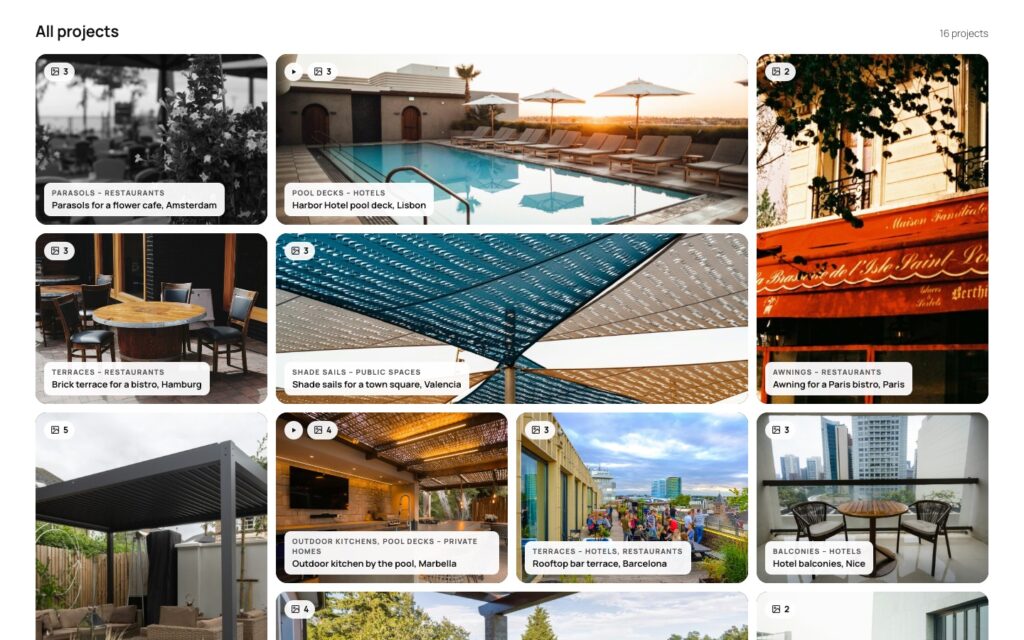
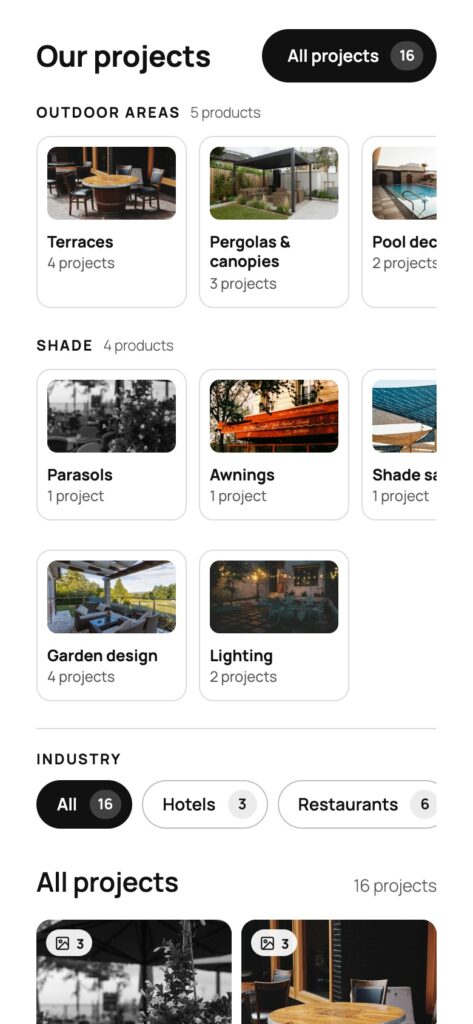
Every project with its own photos, filtered by what you delivered and for whom: product tiles and industry buttons on top, a full-screen lightbox behind every tile with the before/after slider, the customer’s quote and the project video. Grid, masonry or carousel, in your theme’s colors, and nothing loaded from a third party until someone clicks play. One plugin, one price, no free version to outgrow.

Does a reference page have to be a wall of photos?
Most “Our projects” pages are a gallery plugin with two hundred photos in upload order. A hotel owner looking for a terrace shading project scrolls past car ports, balconies and a trade fair stand, and leaves before the one project that would have convinced them. The photos are there; the way to the right one is not.
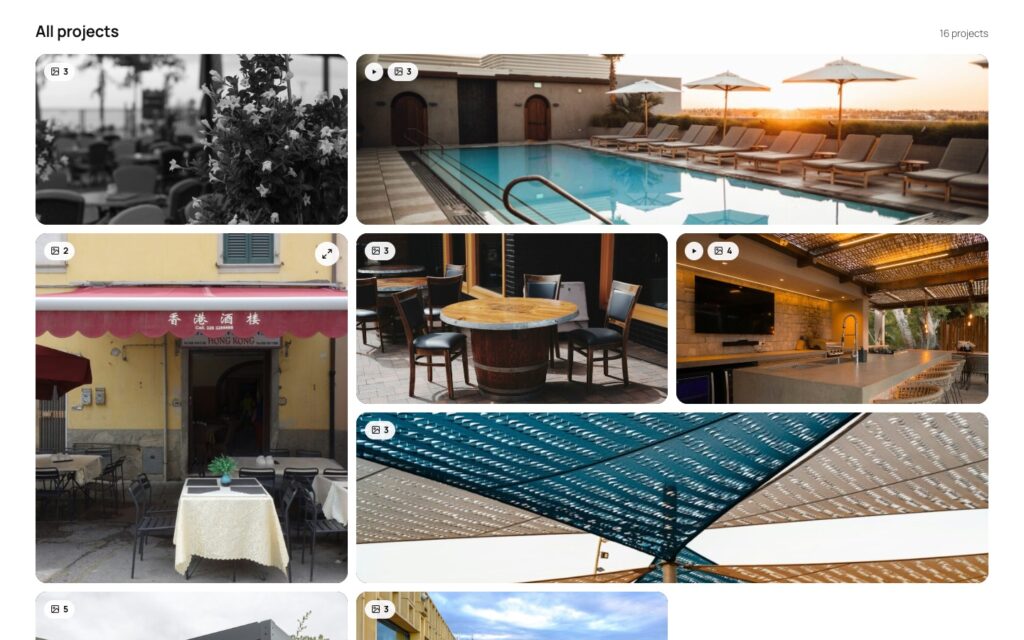
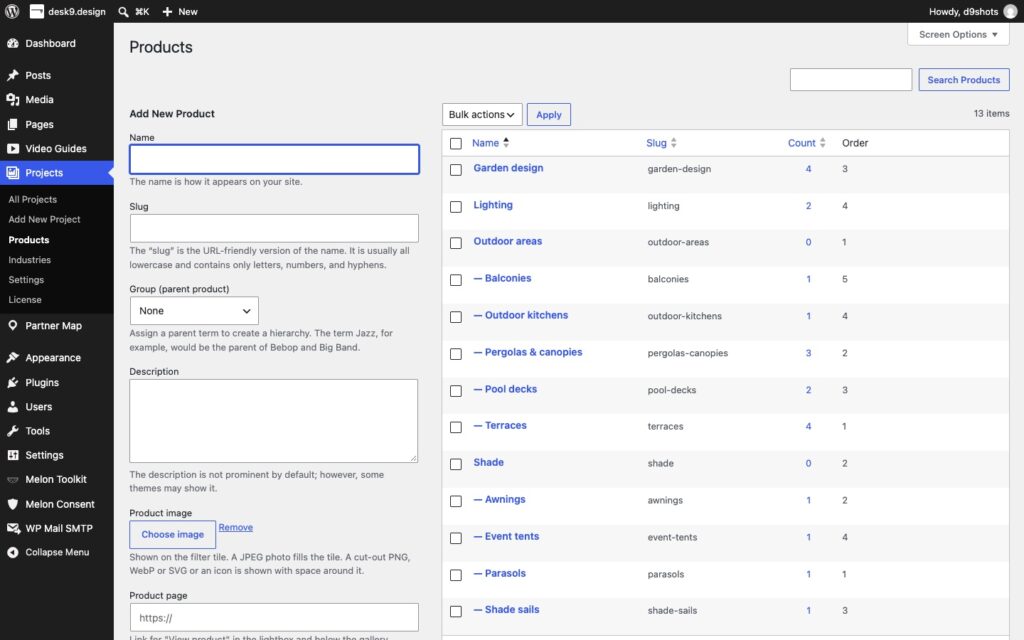
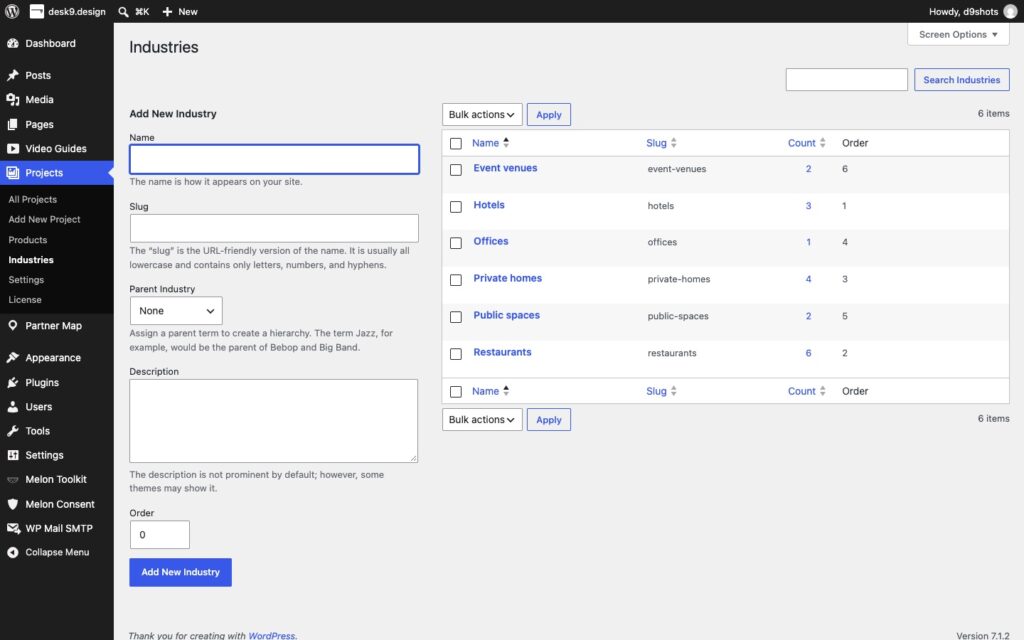
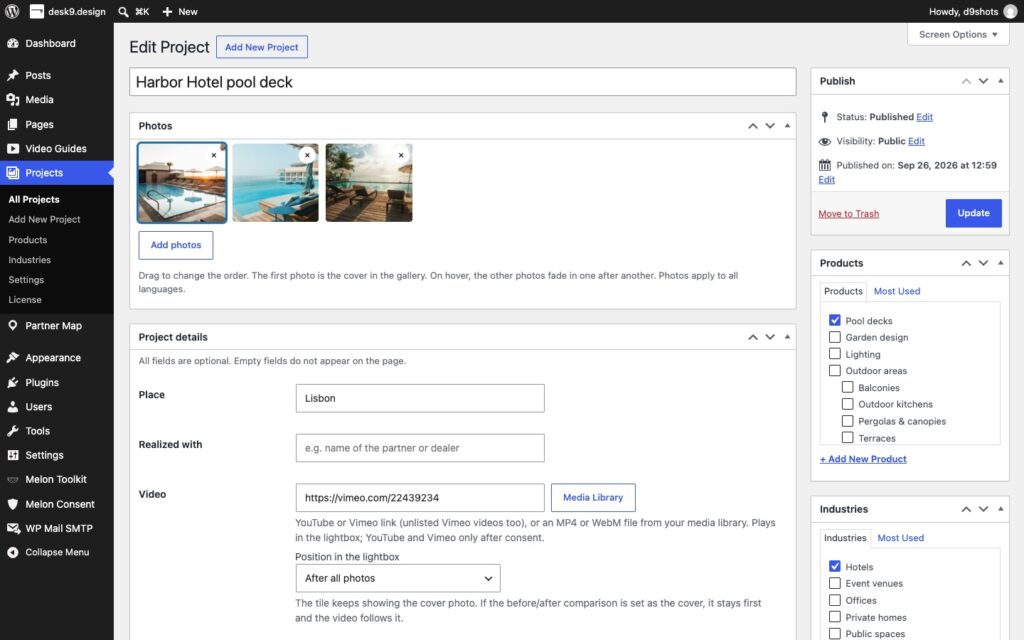
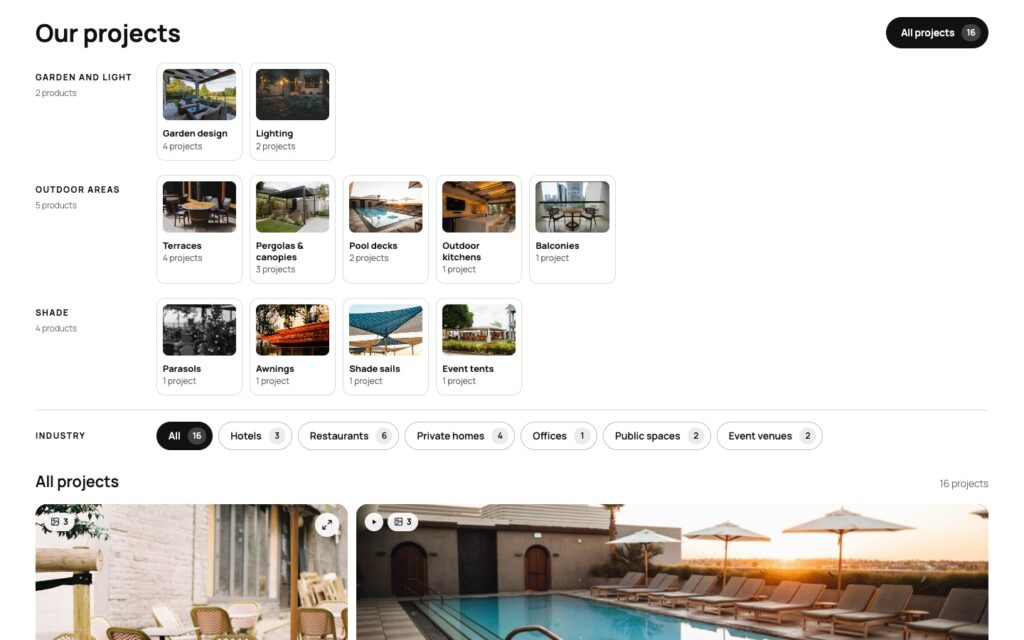
This plugin starts from the project, not the photo. A project has a product, an industry, a place, a partner who realized it, and its own set of pictures. Visitors pick the product from picture tiles, narrow by industry, and get only the projects that look like their own. A click opens one project in full: every photo, the before and after, what the customer said, the video. The arrows lead to the next one that matches.
Photos come from your media library, filters from your own products and industries, and a project video loads from YouTube or Vimeo only after a click and consent. No external gallery service, no tracking, no build step.
One click, the whole project
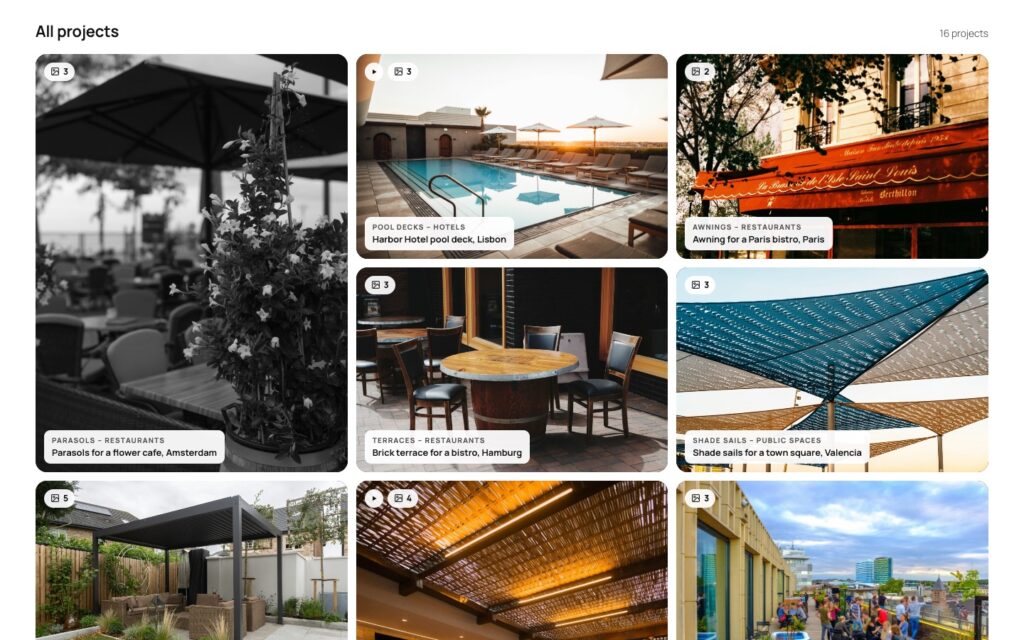
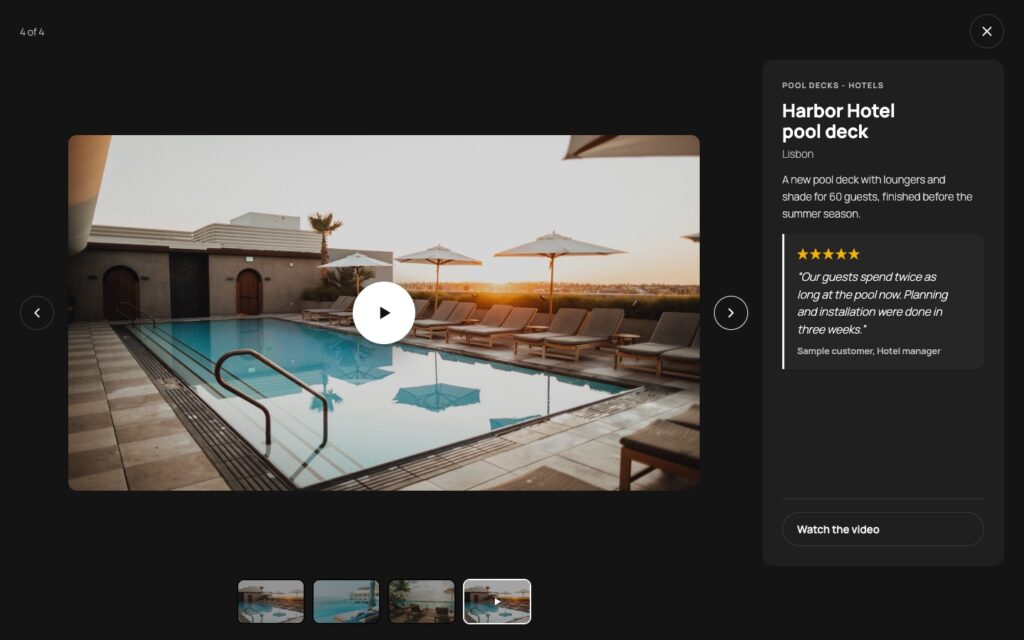
The first photo is the cover of the tile; on hover the other photos fade in one after another, so a visitor sees the project before opening it. The click opens the lightbox on a dark stage (or a light one, or one in your theme colors) with every photo, thumbnails, arrows, keyboard and swipe, and the details next to the pictures: name, place, product, industry, the partner it was realized with and a short description.
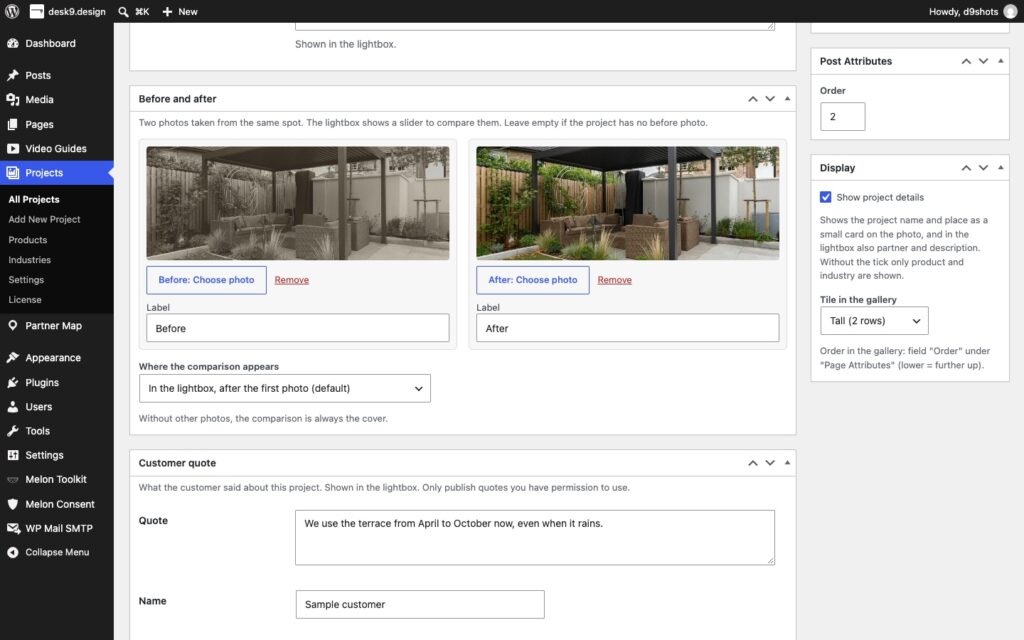
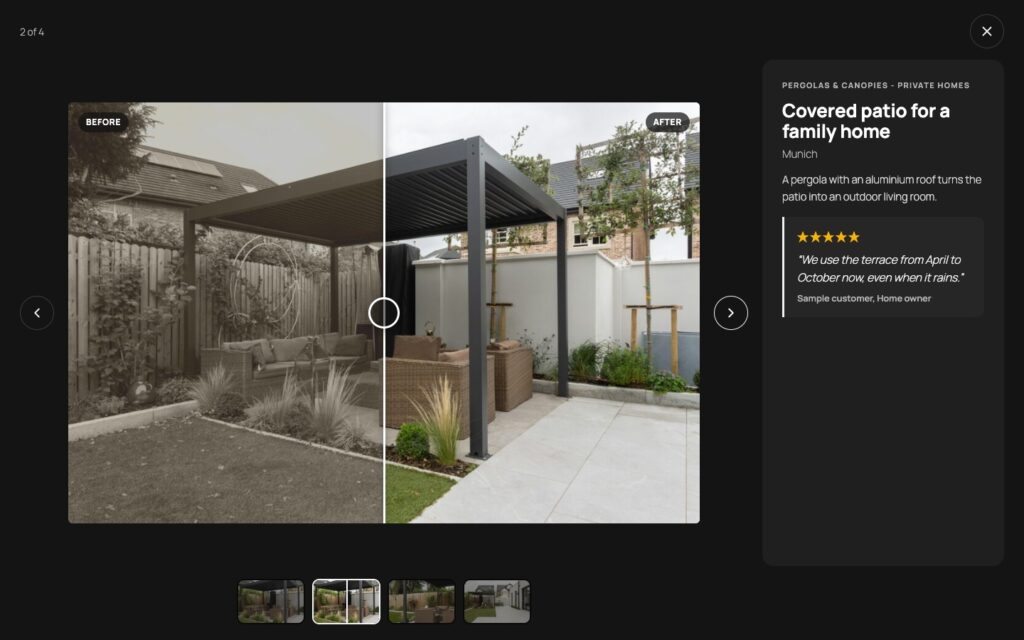
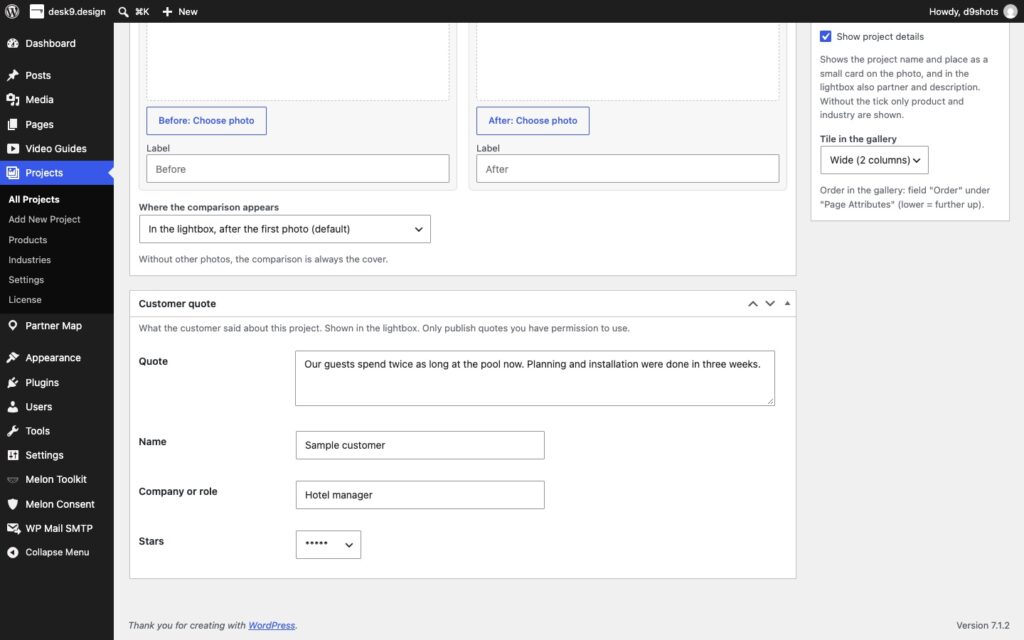
Three things a photo alone cannot say: a before and after pair with a slider the visitor drags by mouse, touch or keyboard: after the first photo, at the end, or as a split-view cover of the tile. A customer quote with name, company and one to five stars, marked up as a schema.org Review. And a project video from YouTube, Vimeo or your own MP4 file that plays inside the lightbox, first, after the first photo or at the end, with two-click consent for the video services.

How it works
Products and industries are the filters
A project is a post with photos
One block, three layouts, many galleries

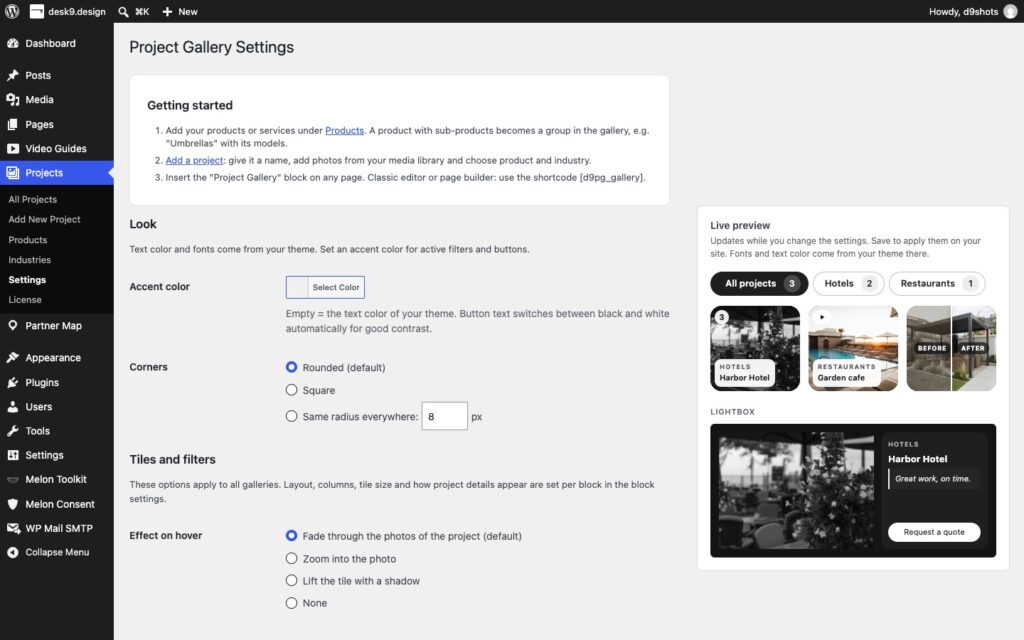
It looks like your theme
Who uses it
Manufacturers with a dealer network
Contractors and trades
Architects and planners
Agencies and studios
Plans
There is one plugin and it has every feature on this page. The plans differ in one thing only: how many sites the license key activates.
14-day money-back. Renews yearly at the same price, cancel anytime. Keeps working after expiry, updates and support stop. The plugin is GPL: what you buy is a year of updates and support for the sites in your plan, and the license key that delivers them.
What it does not do
This is the part most plugin pages leave out.
It does not optimize your photos. Photos are served from your media library in the sizes WordPress made of them. Compression, WebP conversion and a CDN are the job of your image plugin or host, not of the gallery.
It does not host videos. A project video plays from YouTube or Vimeo after the click, or from your own MP4 file exactly as you uploaded it. No transcoding, no adaptive streaming.
No client upload form, no bulk import. Projects are created in the WordPress admin, one at a time, with the media library. There is no front-end form for customers to submit photos and no CSV or ZIP import.
Filters, not search. Visitors narrow the gallery by product and industry. There is no free-text search across project names and descriptions.
No map of the projects. The place is a text field shown in the lightbox. Projects on a map, by radius and region, is what Partner Map Locator does. The two can share a site, not a database.
Stars are not Google stars. Customer quotes are marked up as schema.org Review, but search engines do not show star ratings for reviews a business publishes about itself. The markup is honest; the rich result is not promised.
It ships in English and German. Every string is translatable and the plugin works with WPML and Polylang. The interface arrives in English with a German translation included.
Why not a gallery plugin?
A gallery plugin knows photos. It can sort them into albums and show them in a lightbox, and that is where it stops: an album has no product, no industry, no place, no partner and no customer who said something about it. The visitor gets pictures; the question “have you done this for someone like me?” stays open.
Here the unit is the project. The filters come from your own catalog of products and industries, the lightbox tells the story of one job with its before and after, its quote and its video, and the cards under the gallery lead to the product page and to the button that asks for a quote. The photos are still just photos in your media library, which is why you can switch the gallery off and keep every one of them.
Set up in three steps
Install and activate
Products and industries, then projects
Place the block
Pro only, and what that means
Most desk9 plugins have a free version on wordpress.org and a Pro that adds to it. This one does not: it is the whole plugin, sold once, with nothing held back for a higher tier. What you pay for is a year of updates and support for the sites in your plan, and the license key that delivers them inside WordPress.
The plugin is GPL, like everything from desk9. It never contacts our servers on behalf of a visitor; the only calls to desk9design.com are the license check and the update check from your admin, with the product name, the key, your site URL and the installed version. After the year the plugin keeps working; only updates and support stop until you renew. If something is missing, the ticket form is one click away in your account.
Screenshots


Frequently asked questions
Does it load anything from other servers before a click?
Do I need photos when I have a before/after pair?
Can I show only some projects on a page?
Will Google show stars for my customer quotes?
How do I control the order of the projects?
Does it work with the classic editor or a page builder?
What are the product cards under the gallery?
Are the photos in my sitemap?
Where is the data stored, and how do I move it?
What is the difference to the CodeCanyon edition?
What happens when my subscription expires?
How many sites can I use it on?
Can I upgrade to a bigger plan later?
What if it is not for me?
Changelog
More from desk9
Video Guides Pro The same idea for videos and manuals: grouped by product, filtered by the visitor, nothing loaded before a click.
Partner Map Locator The partners who realized the projects, on a map that contacts nobody until you say so.
All desk9 plugins Maintained plugins, most of them free.
Every project with its photos, its before and after and what the customer said. Filtered by the visitor, not scrolled past.
Your subscription is what funds the next release.
Yearly subscription
€49 /year
No free version to install first. Upload the ZIP from your account, activate it, paste the license key under Projects, License. Every feature works before the key is in; the key brings the updates.
At a glance
Pro